APPENDIX I – COMMON PROBLEMS
1. Configuration Settings
a/ Setting the FF card’s address beyond the usable address range configured in the DCS.
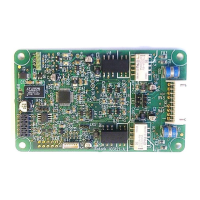
The factory default setting for FF cards supplied inside a Rotork actuator is 34. If the DCS’s
useable address range is set to 33 or lower the actuator will not be detected by the DCS. FF cards
supplied as spares will be despatched with an un-configured address. If the FF card is not visible on
the DCS configurator screens, try using a hand held configurator tool, such as the Emerson 475, to
check the FF card’s settings.
b/ Changing the channel numbers for the function blocks.
Changing the channel numbers of the function blocks will result in the actuator not functioning
correctly. The channel numbers listed in the CFF file (and shown below) must be adhered to:
c/ Changing the FF card’s timing parameters.
Changing the channel numbers of the function blocks will result in the actuator either not
responding at all or else having an intermittent response. Use the timing parameters as listed in the
CFF file:
MaximumResponseDelaySlotTime = 0x50
MinimumInterPduDelay = 0x10
SlotTime = 0x08


 To Next Page