8.1 Setting up with the Setting Tool
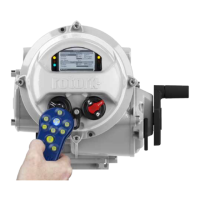
The actuator includes a communication port for setting the actuator performance, limit switches etc.
via the Setting Tool. This communication link can be used to set some, but not all, of the actuator
specific Transducer Block parameters. The parameters will be supplied set to their factory default
values. These should still be checked with a configuration tool to ensure optimum actuator and
network compatibility. Refer to the relevant actuator’s “Full Configuration Manual” to see the access
route through the actuator menu screens to reach the settings that affect the FF CP card.
The Transducer block parameters that may be set by using the Setting Tool are listed below. The
available range for the deadband setting when using the setting tool is less than the range found using
the configuration tools.
Note:
Parameters may only be altered by the setting tool if the actuator control knob is set to the
Local or Local Stop position.


 To Next Page