Setting Up The FF CP Card
Publication PUB089-005-00_0618 81 of 116
8.3 Methods
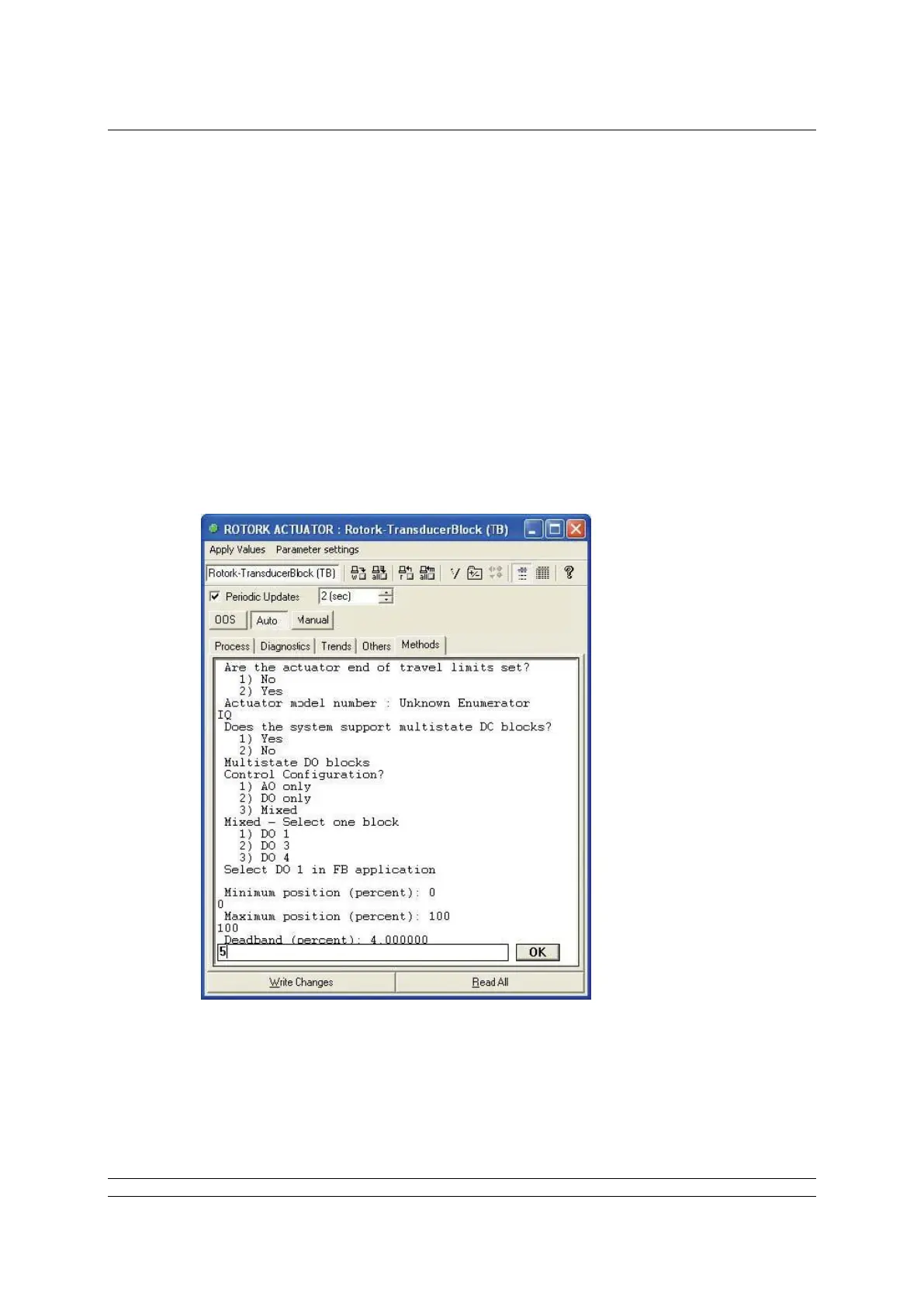
The recommended way to set up the control and reporting function of the FF CP card is to use the
Methods editor.
The Methods tab on the Transducer block allows access to a sequence of questions that set up all the
actuator control parameters as they are answered. When the Methods editor is used, ALL the
questions must be answered, even if there is no change required to the default values.
The Methods editor ensures that all the necessary parameters are set before the actuator is used for
control of the plant. The most critical decision that has to be made is for Discrete Block Control, where
either multistate or single bit support can be chosen.
Note:
If Multistate control is chosen only one DO block can be set to Auto and downloaded to the
actuator as part of a project schedule.


 To Next Page