8. SETTING UP THE FF CP CARD (QUICK START GUIDE)
Both the actuator’s control parameters and the FF card’s parameters must be set up correctly to
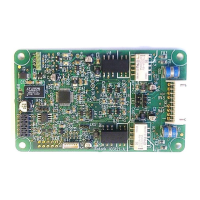
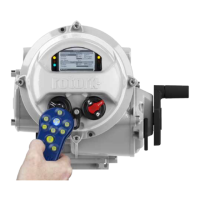
achieve the desired control. This section assumes the FF card is fitted an IQ3/IQT3 actuator, but the
procedure will be similar for other Rotork FF enabled actuators.
The two key FF parameters are: the Control Mode [DO 4 function] & Discrete Block control.
These reside in the Transducer Block and can only be accessed via the FF highway. They can
only be altered when the Transducer Block is in OOS mode.
There are some actuator positioning parameters that can be checked / set using the Rotork setting
tool.
Section 8.1 lists the parameters that can be accessed along with their default values.
Note most of the FF card’s parameters, including the control mode and block control,
cannot be accessed via this method.
The Insight II software can also be used to access the actuator’s control parameters.
Section 8.2 shows screen dumps of the relevant pages. Note the FF card’s control
mode and block control parameters cannot be accessed via this method.
The parameters can also be set-up up over the FF highway using an Emerson 375/475 hand-held
communicator or a National Instruments Configurator Tool or a similar FF configuration tool. In all
cases the action of the module may be set using either the step-by-step instructions in the “Methods”
tab, in the Transducer Block or by manual alterations to the parameter list in the Transducer block.
Section 8.3 outlines the “Methods” approach.
Section 8.4 describes the manual alteration approach for control block settings.
Section 8.5 describes the manual alteration approach for feedback block settings.
Section 8.6 lists the control parameters available in the Transducer Block.
Section 8.7 shows the TB control parameters available via the DTM/FDT.
Once the configuration of the function blocks has been completed, this must be downloaded to the
actuator. If a “Configurator tool” has been used to modify the setting and a number of actuators are
required to have the same settings, the configuration file can be saved and copied to several
differently tagged devices in turn.


 To Next Page