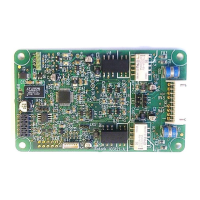
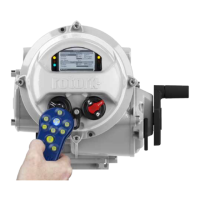
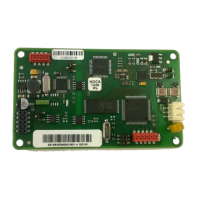
3.2 Replacing or Fitting an FF CP Option Card
The FF card should be replaced or fitted only in a suitable environment. The actuator must be made
electrically safe before opening any covers.
Warning: Removal of certain covers will void warranty, it is advised that a Rotork approved
engineer perform this function.
Suitable anti-static precautions should be taken, as the actuator circuitry contains static-sensitive
components.
If an upgrade kit has been purchased please carefully follow the instructions given in the
documentation provided. It will also be necessary to have the relevant actuator maintenance manual
to hand when adding a new card.
The electrical housing cover should be removed and the existing FF card carefully unplugged from its
main connector. The Interface card will be attached to the Main PCB mounting ring by four screws,
which are T20 (or T15 if two cards are present). Once removed from the main connector the wiring
loom connectors should be removed. The replacement board is fitted in the reverse order to removal.
The wiring harnesses are polarised so that only the correct one will fit its mating part on the circuit
board.
If the operation is to fit an FF card for the first time then the necessary wiring looms must be added to
the internal wiring harness of the actuator. The actuator wiring diagram shows the connectors and
harnesses used. The wiring harnesses are fitted inside the actuator before attempting to fit the FF
card. Once the looms are in place connect them to the FF card, then fit the card to the actuator control
board/main board connector.
Once the module is fitted the actuator should be re-assembled. If an option card is fitted into an
actuator after it has left the factory then the actuator needs to be set-up to use this card in the
software, the card will not do anything until this has been done. This can be done using the local HMI
or Insight but ideally needs to be done by a Rotork service engineer. This is not necessary if a card is
being replaced with the same type of card, e.g. replacing an FF with a new FF card.
It is advisable to check the software version numbers are the same between the new and old card to
ensure consistent operation. It is also advisable to check the ITK revision of the old FF card as it may
be necessary to modify the new FF card’s ITK revision. If this needs to be done, see Appendix F.


 To Next Page