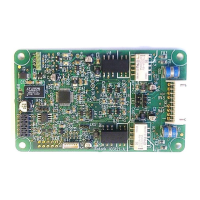
Replacing or Fitting an FF CP Option Card
The FF CP card should be replaced or fitted only in a suitable environment. The actuator must be
made electrically safe before opening any covers. The electrical housing cover should be removed
after unscrewing the four 6mm Allen machine screws. Unplug the electrical housing loom from the
control board and remove the cover. Unplug the grey ribbon cable from the edge of the control board
and unplug the black plastic carrier frame from the frame legs. Unplug the loom from the FF card.
Unscrew the Torx 20 screws holding the FF card into the frame and carefully unplug the FF card from
the control board. The replacement board is fitted in the reverse order to removal. The wiring harness
connectors are polarised so that only the correct one will fit its mating part on the circuit boards. Don’t
forget to re-connect the grey ribbon cable to the edge of the control board.
If the operation is to fit an FF CP card for the first time, then the necessary wiring loom must be added
to the internal wiring harness of the actuator. The actuator wiring diagram shows the connectors and
harness used. The wiring harness is fitted inside the actuator before attempting to fit the FF CP. This
requires that you remove the terminal bung, which is held in place by a large circlip. Be careful to
attach the wiring loom to the correct terminals, which are numbered. Re-fit the terminal bung.
Once the loom is in place, connect it to the FF CP, then fit the FF CP to the actuator main board
connector. Attach the FF CP to the frame, using the Torx 20 screws.
Once the module is fitted, the actuator should be re-assembled.
Once power is applied, the field unit parameters should be checked and corrected, where necessary.
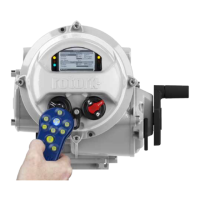
Some FF TB parameters can be set and adjusted either by using the Infra-red and Bluetooth setting
tools or by Insight 2 using Bluetooth. The parameter setting procedure is covered by the IQ3 Full
configuration, status and monitoring user manual, PUB002-040-00, available on the Rotork web site,
www.rotork.com


 To Next Page