LED Lighting & Bill Acceptor NiteHAWK Internet Jukebox
5-6 22022602
7. Continue these steps through the Page 3 and Page 4 options. When you have the settings as
you want them, simply re-install the Lower Housing. The Inlet LEDs will flash 5 times confirming
that your settings have been saved.
8. Refer to the Coinco Installation and Operation Guide included with your jukebox for a more
detailed explanation of the various options.
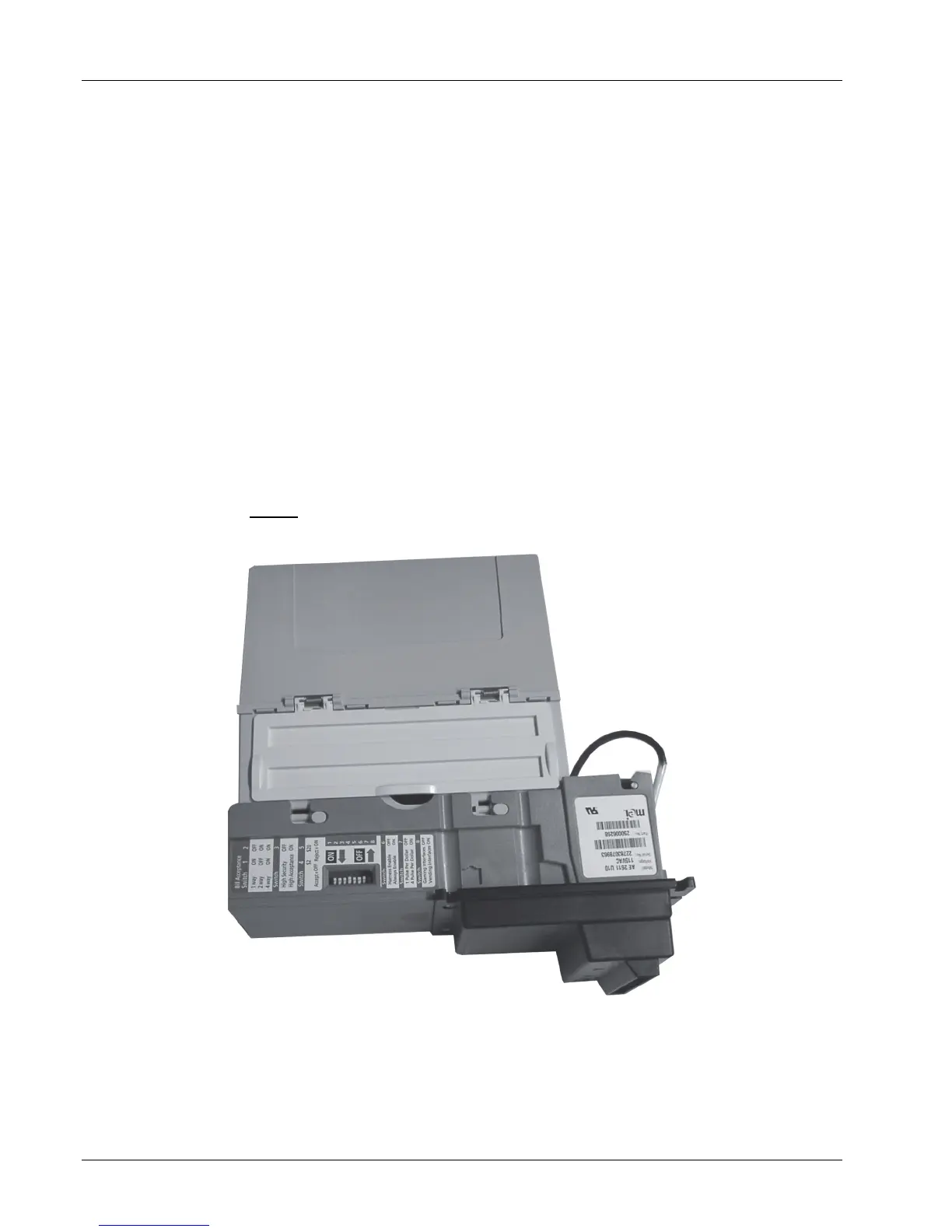
MEI AE2611 Setup
The factory DIP switch settings are:
1, 2 ON for 4-way acceptance
3 ON for high acceptance
4, 5 OFF to accept $2 and $20
6 ON * for always enable
7 OFF * for one pulse per dollar
8 OFF * for gaming interface.
* Switches 6, 7 and 8 MUST
be in the position shown above.
Figure 5-7 – MEI Bill Acceptor


 To Next Page