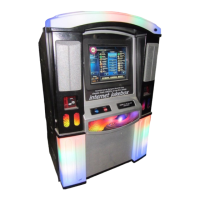
NiteHAWK Internet Jukebox Troubleshooting
22022602 7-3
4 Channel Preamplifier
Power LED
Should be on. Indicates when all 4 voltages are present (+5 V, +8.5 V, +15 V, -15 V).
Status LED
On Power Up (Power applied to the AV Controller) this LED flashes 3 times.
Rowelink LED
Should be flashing **. Flashes when the AV Controller sends a RL signal back to the Rowelink
Controller. Rate is approximately twice per second.
VOLUME CONTROL UNIT
Period LED (on the 10’s digit)
Should be dimly flashing ** at a relatively fast rate. Indicates when Rowelink Master Commands are
sent from the Computer Core via the Rowelink Controller.
Period LED (on the 1’s digit)
Should be dimly flashing ** at a relatively fast rate. Indicates when the Volume Control sends a RL
signal back to the Rowelink Controller.
POWER AMPLIFIER
Yellow Clip LED
Should be off. If on, the input signal to the Power Amplifier is to high, which will cause the output
signal distortion to increase.
Red Overload LED
Should be off. If on, the speaker outputs are overloaded.
COMPUTER CORE ASSEMBLY
The Computer Core Assembly also has two Ethernet LEDs that are built into the Ethernet socket. The
yellow LED indicates a connection at 10 MB and the green LED indicates a connection at 100 MB.
The green LED should be active on the Core Computer Assembly.
Hard Drive Green LED
Should be on. Indicates if the hard drive has power applied to it.
Hard Drive Red LED
Should flash occasionally. Flashes if the hard drive is being accessed.
** When the CORE COMPUTER ASSEMBLY is powered up, then it may take several minutes for the
Rowelink LEDs to start flashing.
See Figure 2-4 for the location of these hard drive LEDs.


 To Next Page