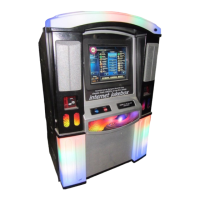
Troubleshooting NiteHAWK Internet Jukebox
7-10 22022602
TROUBLESHOOTING CHARTS
The best way to determine a problem is to isolate its’ cause. The following charts should
help to narrow down which module is failing and whether it can be fixed or needs to be
replaced.
Start with the “Trouble” column and find the item that closely relates to the problem you are
experiencing. The “Symptom” will be described in the following column. There may be
multiple symptoms. There may also be many “Probable Causes” listed for each Symptom.
The Probable Causes are listed in decreasing order of probability.
Trouble Symptom Probable Cause
Application does not boot up. At the first boot up screen,
“Detecting IDE Primary Master”
reports “None”.
1. There is no hard drive in
the housing.
2. The plugs are not
completely seated in the
hard drive.
3. The data cable or power
plug (core computer box
internal) has come loose
from the main board or
hard drive bay.
The boot up process stops at
“DISK BOOT FAILURE, INSERT
SYSTEM DISK AND PRESS
ENTER.”
1. There is no hard drive in
the hard drive housing.
2. The plugs are not
completely seated in the
hard drive.
3. The data cable or power
plug (core computer box
internal) has come loose
from the main board or
hard drive.
4. The hard drive is dead.
At first boot up screen,
“Detecting IDE Primary Master”
hangs at “[Press F4 to
Continue]”.
1. The core computer’s
BIOS needs to be
updated.


 To Next Page