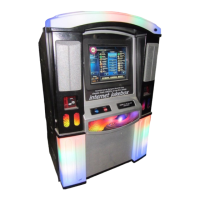
NiteHAWK Internet Jukebox Troubleshooting
22022602 7-11
Trouble Symptom Probable Cause
Jukebox will not operate when
Powered ON.
When plugged into a standard
wall outlet, the LEDs fail to light.
1. The Power button was
pressed on Volume
Control Unit or IR
Remote.
2. The plug is not
completely inserted into
the outlet.
3. The wall circuit is not hot.
The LEDs come on, but the
application will not boot.
1. The computer ATX
power/reset button was
not pressed in.
2. The monitor or its power
supply is defective or
unplugged.
The monitor does not work. The computer fan is on and all
the system’s LEDs are normal.
1. The power plug, video
cable, or monitor power
supply is not seated
completely.
2. The monitor power
supply is defective.
3. The monitor is defective.
The touchscreen does not work,
or the touchscreen will not
calibrate.
The application boots up, but
the touchscreen does not
respond to touch.
1. The touchscreen cable is
not seated completely at
the monitor or at the core
computer box.
2. The touchscreen is
defective.


 To Next Page