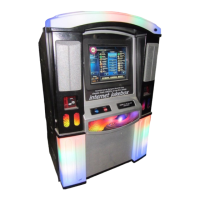
NiteHAWK Internet Jukebox Troubleshooting
22022602 7-1
Section: 7 Troubleshooting
INTRODUCTION
The NiteHAWK Jukebox incorporates several modules which plug in for rapid service.
The most likely cause of jukebox problems is:
1. Continuous or intermittent open circuits in a harness. The cause can be cut or
broken wires, a damaged terminal, or a bad terminal crimp.
• Check that all plugs are firmly seated.
• Check that connector pins are not bent, broken, or pushed through the back
of connectors when mated.
2. A defective module. Troubleshooting procedures are directed at module
replacement, not repair.
A summary of the functions for each of the jukebox’s replaceable modules is in MAJOR
COMPONENTS OF THE NiteHAWK in Section 1
The troubleshooting topics presented in this section are:
• The NiteHAWK indicator LEDs can help you isolate a problem.
• A sequence of operation explanation in this section and a wiring diagram (Figure
7-1) help you isolate the problem to a harness or a module. The wiring diagram
also shows the Rowe part numbers of the harnesses and modules.
• Modular Troubleshooting Charts that list the Trouble, Symptom, and Probable
Cause.


 To Next Page