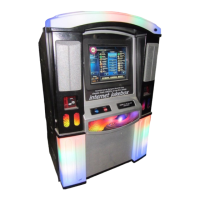
Troubleshooting NiteHAWK Internet Jukebox
7-12 22022602
Trouble Symptom Probable Cause
The bill acceptor does not work. The bill acceptor will not accept
a bill.
1. The cash box is full.
2. The cash box was not
correctly re-installed on
the bill acceptor.
3. There is a jammed bill in
the device.
4. The plugs are not
inserted securely at the
acceptor.
5. The bill acceptor is
defective.
The green LEDs at the bill
acceptor lip are not flashing.
(MEI Bill Acceptor Only)
1. The cable is damaged at
the acceptor.
2. The bill acceptor is
defective.
No audio from the jukebox No sound from jukebox,
although the application reports
“Now Playing…”
1. The volume control is
turned all the way down.
2. The volume control is
broken.
3. The 4 Channel
Preamplifier is continually
muting the song.
4. The Audio cable is loose
or disconnected from the
core computer Audio
jack.
5. The amplifier was
overloaded and
shutdown.
No sound from the jukebox, and
the application doesn’t appear to
be playing the song selected.
1. There are no more
credits available for play.
2. The song was canceled.
Machine is locked-up during
normal runtime.
Bill acceptor is taking money,
but touchscreen is not
responsive.
1. Core computer is locked-
up. Press the external
ATX Power/Reset button.
2. If the core computer does
not boot up, do a
complete Power Down
and Power Up.


 To Next Page