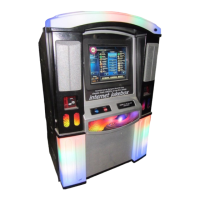
NiteHAWK Internet Jukebox Troubleshooting
22022602 7-13
Trouble Symptom Probable Cause
Location Network line installed
in the location.
There is no designated phone
line in the Location.
1. The inside wiring
installation appointment
was not scheduled.
2. The inside wiring
installation has not
occurred.
3. The line was not installed
in the pre-selected
location.
4. The line (jack) was not
labeled by the technician.
Router does not work. When the power supply is
connected to the router, nothing
happens.
1. The AC adapter is not
fully inserted in the AC
outlet in the power
supply, or the DC adapter
plug is not fully inserted
in the receptacle on the
back of the router.
The “Link/Act #” LED, in front of
the router does not light up
when an Ethernet cable is
plugged in the respective port.
1. The Ethernet port is
defective.
2. The jukebox is not
powered on.
3. The cable is loose at the
core computer.
The WAN LED does not light up. 1. The broadband
connection is not plugged
into the WAN port.
2. The cable modem or DSL
modem is not powered
on.


 To Next Page