English
8
36
8PROGRAMMING MENU
8
Thischaptercontainsinstructionsonhow
tosetandchangetheprogramming
parameters of the appliance.
88
Thereforeitisnecessarytocarefullyreadit
andtounderstandtheexactsequenceof
operations before performing them.
88
Alltheoperationsdescribedinthischapter
mustbeperformedexclusivelybythe
serviceprovideroraspecialisedtechnician,
whoshallorganisealltheoperatingsteps
anduseonlysuitablemeanstoensure
strictcompliancewiththesafety
regulations in force.
88
Thespecialisedtechnicianortheserviceprovidercanchangesomeofthemachine
operating parameters to suit the needs of the users.
88
Notes
on
programming
8
Theelectroniccontrolunitoftheapplianceallowsmanyfunctionstobeused.A
briefexplanationofthesemainfunctionsislistedbelow.Theyareusefulforbetter
managingtheappliance'soperationbutarenotnecessarilyinthesameorderas
they are displayed in the menu.
8
Somefunctionsthatarespecifictocertainfunctionalunitsmaybelisted;functional
units that differ according to the model.
8
Thelayoutoftheicons/screensinthismanualisindicativeonlyandmayvaryfrom
thosedisplayedontheappliance,dependingonthesettings(layouts,themes,
and/or icons).
88
8.1Accessing the programming menus
8
Access the programming menus as follows:
8
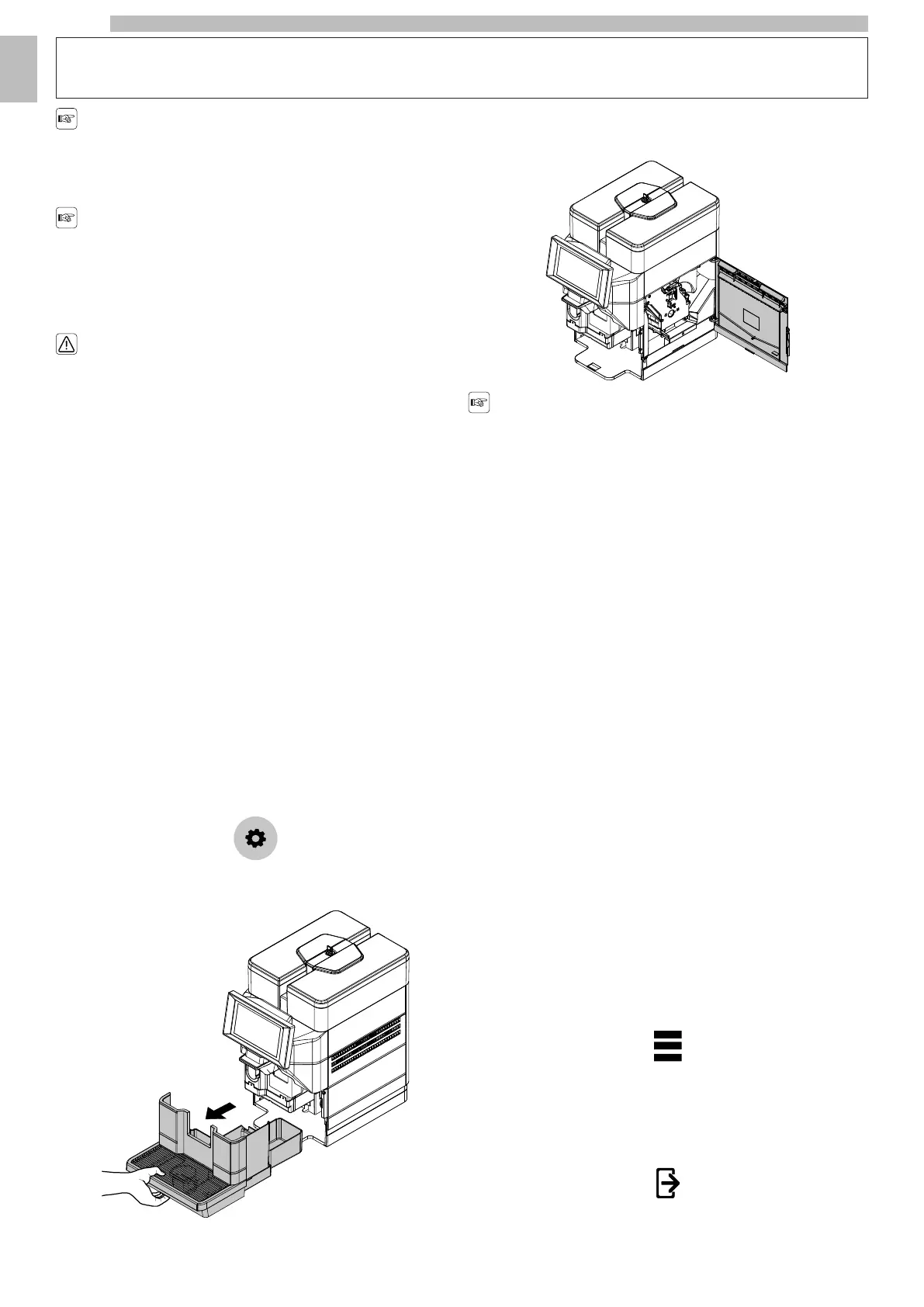
with the door of the service area close, tap the "settings" icon;
8888
or
8
Remove the drip tray.
8888
Removethescrewpreventingaccidentalopeningoftheservicecompartmentflap.
(* 120V USA version only).
8
Open the service compartment door.
8888
Accessthemenusbyopeningthedoor
onlyifitisnotpossibletoenternormally
from the tablet.
8
Dependingonthesettings,apasswordmayberequiredtoaccesstheprogramming
menus. Enter the password to access the enabled menus.
8
Thereare2levelsofaccesstotheprogrammingmenusdependingontherankof
the operator. The possible levels are:
8
•
User
8
•
Technician
88
The first screen after access to the programming menu is divided as follows:
8
•
Controls Bar
8
•
Information Area
8
•
Message Area
8
•
Faults Area
8
•
Maintenance Information Area
88
Controls
Bar
8
Displays the icons of the available controls.
88
Information
Area
8
Displays information regarding the appliance (software version, etc.).
88
Message
Area
8
Displaysmessagesofaninformativenature,e.g.statisticsonthemostrequested
selections, etc.
88
Faults
Area
8
Displays the faults found on the appliance.
88
Maintenance
Information
Area
8
Displaysinformationregardingthemaintenancedeadlines.Maintenancenotification
sets the current date/time as the last date of maintenance.
88
8.2Button Description in Programming Mode
8
Menu
8888
Tapthe"menu"icontoviewtheappliance'smenufunctions.Allthefunctionsare
displayedandonlythosefortheprofileofthecurrentoperatorareenabled.Some
ofthefunctionsand/orparametersmaynotbedisplayed:simplyscrollthroughthe
screen.
88
Exit
8888
Tapthe"exit"icontogetoutoftheprogrammingmenus.Theselectionspagewill
be displayed.
8










 To Next Page