English
8
37
8
Favourites
8888
Thefavouritesarelinkswiththefunctionsfrequentlyused.Afterhavingaddeda
functiontothe"favourites,"simplyviewthe"favourites"andtapthefunctionfor
quickaccess.Tapthe"favourites"icontoaccessthefunctionsusedfrequentlyand
stored as favourites.
88
Add
a
function
to
"favourites"
8
From the function tap the "empty star" icon.
8888
It will change colour (it turns on)
88888
Remove
a
function
from
"favourites"
8
Fromthefavouritesscreen,tapthefunctiontoberemovedinordertoaccessthat
function.
8
Tap the "full star" icon.
8888
It will change colour (it turns off)
8888
Numeric
keypad
8888
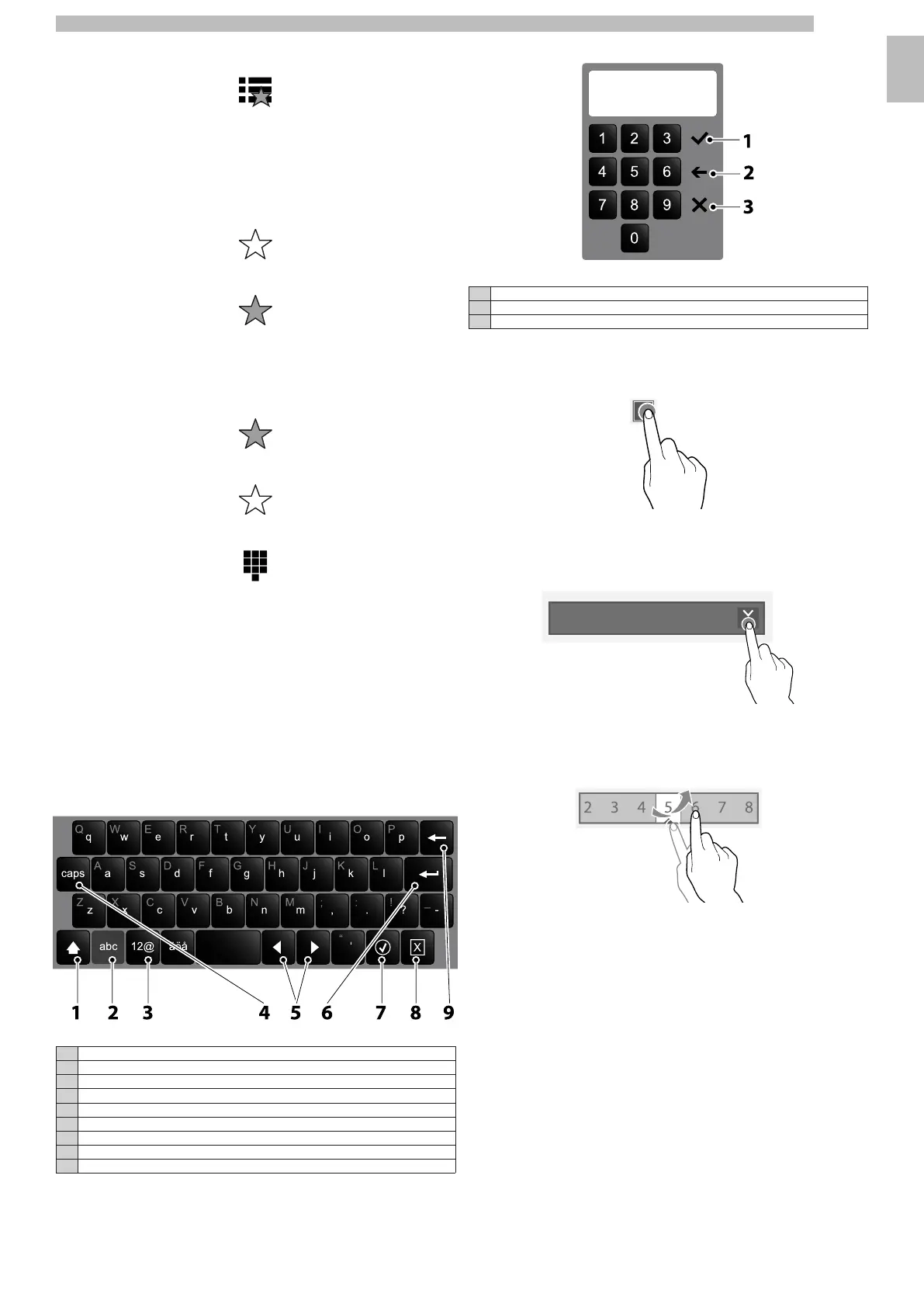
Tap the "numeric keypad" icon to display the numeric keypad.
88
8.3Enter values
8
The values of the programming menu can be entered/modified as follows:
8
•
Keypad
8
•
Numeric keypad
8
•
Check-box
8
•
Drop-down lists
8
•
Value selectors
888
Keypad
888888
1Uppercase (shift)
2Switch the "number/symbol" keypad to the "letter" keypad
3Switch the "letter" keypad to the "number/symbol" keypad
4Caps lock
5Moves the cursor in the text
6New line (text over two lines)
7Confirm
8Cancel
9Clear (back space)
8888
Numeric
keypad
888888
1Confirm
2Clear (back space)
3Closes the keypad
8888
Check-box
8
Tap the check-box to enable/disable the option.
888888
Drop-down
lists
8
Tap to open the drop-down list and select the value.
888888
Value
selectors
8
Scroll and select the desired value.
88888










 To Next Page