English
14
71
14TROUBLESHOOTING
14
14.1Test Mode
14
This function is meant to check the correct operation of the mechanical, electromechanical and electronic components that are inside the machine.
1414
Becarefulwhenenteringthetestmodeofthemachine:inthismodesomesafetydevices
set by the manufacturer are excluded.
1414
14.2Entering the Test Mode
14
Access the programming menu by pressing the "settings" icon.
1414141414
Enter the password of the technical profile. Select the item "System", subsequently the item "Technical specifications".
1414
14.3Test Mode Functions
14
The test mode is divided into several pages. For each page, the machine allows to perform various tests.
1414
The contents of each page are listed below:
1414
•
Components
test
14
•
Machine
input
verification
14
•
Output
Test
1414
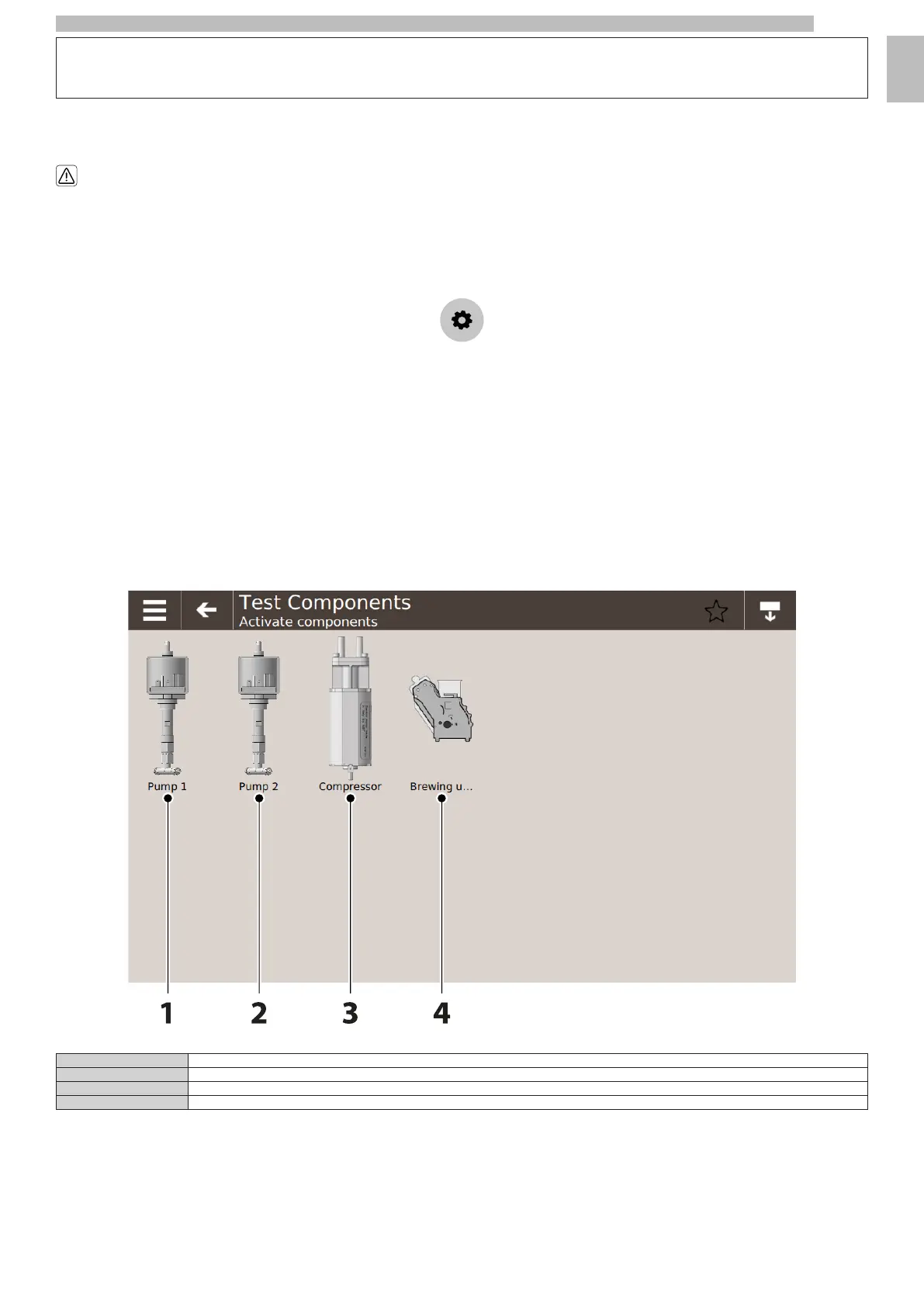
14.3.1Components test
1414141414
1Coffee pump
2Steam pump(only versions M)
3Compressor(only versions M)
4Brew group
141414
By clicking on every component present in this screen, the specific text is activated. A pop-up is shown with the relative data and outcome of the test.
1414










 To Next Page