English
15
94
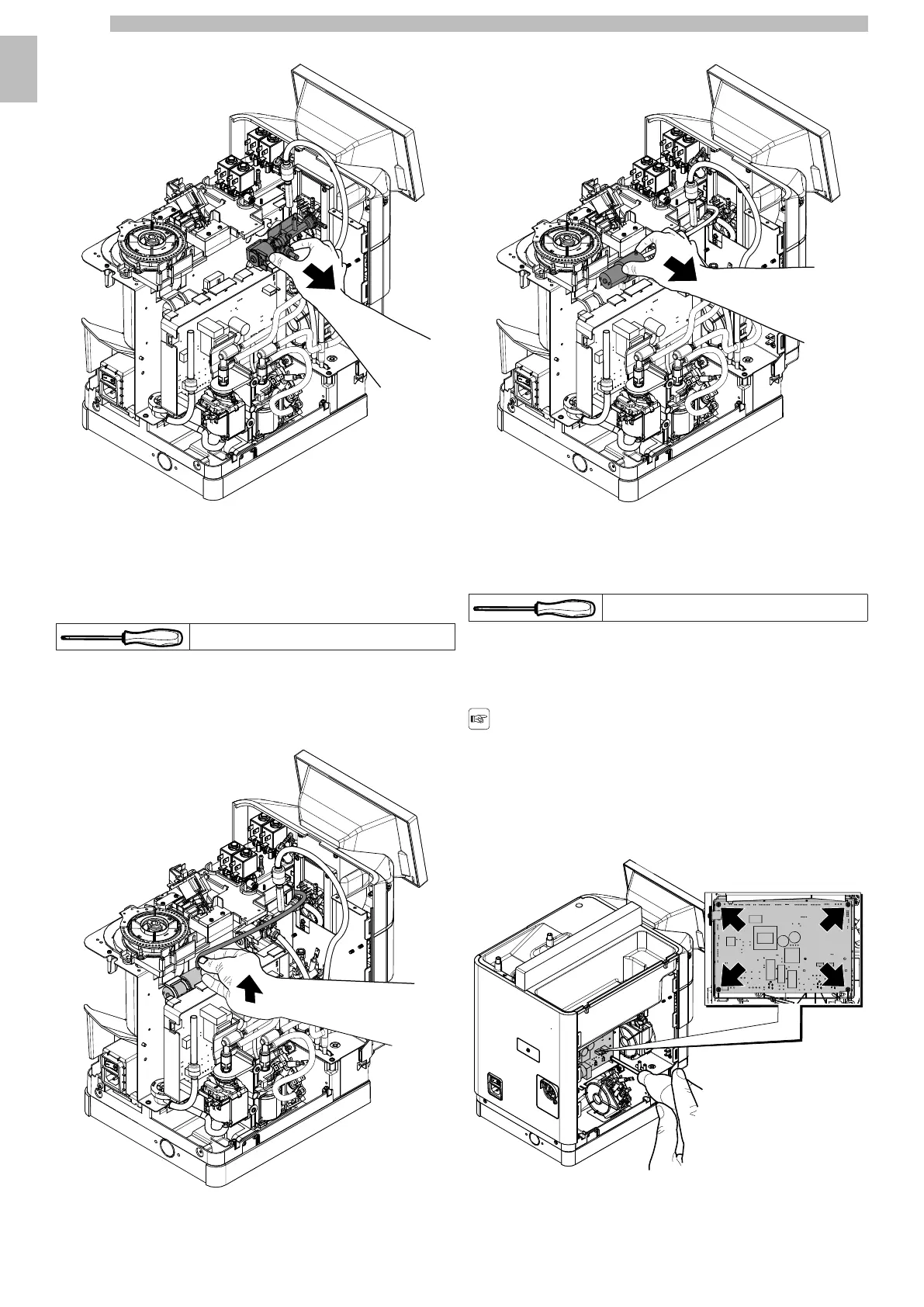
Slightly rotate counterclockwise the solenoid pilot valve unit and pull it out.
1515151515
Disconnect it from the electrical power supply in the event of replacement.
1515
15.11Compressor disassembly
15
The following tools are necessary to remove this component:
151515
Torx screwdriver T10
151515
Disassembletheexternalcoversasdescribedabove,untildisassemblyoftheupper
cover, to access the component to be replaced.
1515
Disconnect the silicone pipe.
1515151515
Remove the fastening band. Remove the compressor.
1515151515
15.12Removing the CPU Board
15
The following tools are necessary to remove this component:
151515
Torx screwdriver T10
151515
Disassembletheexternalcoversasdescribedabove,untildisassemblyoftheleft
side,toaccessthecomponenttobereplaced.Removethepumpsholderas
explained in the "Pumps disassembly" paragraph.
1515
Beforeremovingtheboard,makesurethat
allwiringharnessesthatareconnected
with the board have been disconnected.
1515
To remove the CPU board unscrew the 4 screws shown herein.
1515151515










 To Next Page