English
9
50
Usecold(~5°C/41°F)milkwithaprotein
contentofatleast3%toensure
top-qualitybeverages.Wholemilk,
skimmedmilk,soymilkorlactose-freemilk
may be used depending on individual taste.
99
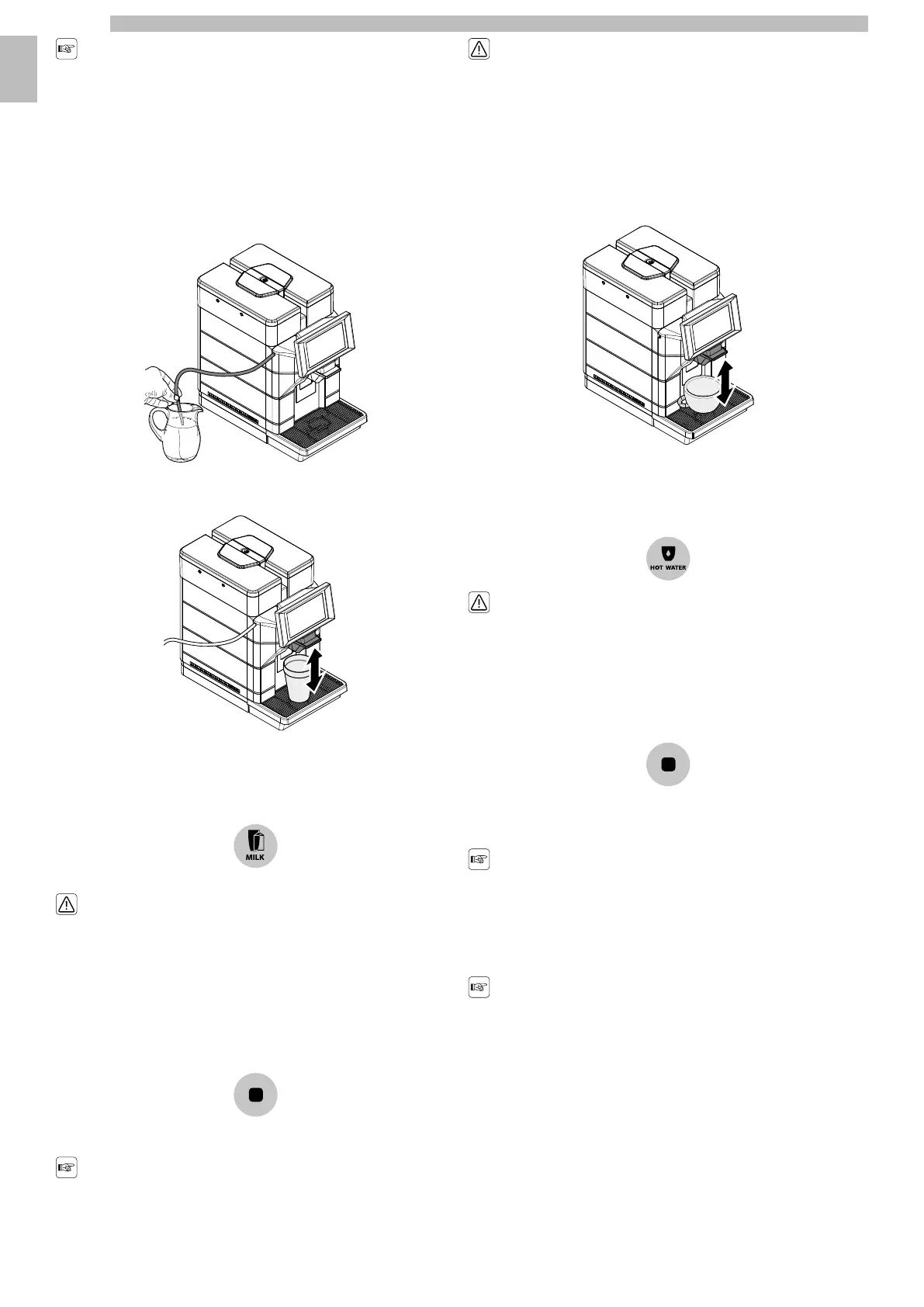
Insert the clean tube directly into the milk container.
99999
Insert the cup or glass under the dispenser.
9999
Todispenseabeveragewithmilktaptheiconofthebeveragewithmilkdesired.If
thebeverageswithmilkarenotvisibleonthebeverageselectionscreen,tapthe
"MILK"iconontheleftofthebeverageselectionscreeninthecontrolcolumnand
subsequently tap the icon of the beverage with milk desired.
99999
Dangerofburning!Dispensingmaybe
precededbysmalljetsofhotwaterand
steam.
99
Themachineneedstimetopreheat.Oncethewarm-upiscompleted,themachine
startstodispensethebeverageselected.Thebeveragestopsdispensing
automaticallywhenthelevelsetisreached;itisinanycasepossibletointerrupt
the dispensing by tapping the "STOP" icon.
9999
Remove the container and clean it if necessary.
99
Alwaysremembertostoremilkinthe
fridge when not used.
99
Afterapresetperiodoftimefollowingthe
lastbeveragewithmilkdispensing,the
machineautomaticallyrinsesthemilk
circuit.
99
9.7Hot Water Dispensing
9
Insert the cup or glass under the dispenser.
9999
To dispensethe "HOTWATER"beverage tapthe "HOTWATER"beverage icon.If
the"HOTWATER"beveragesarenotvisibleonthebeverageselectionscreen,tap
the "HOTWATER"iconontheleftofthebeverageselectionscreenin thecontrol
column and subsequently tap the icon of the "HOT WATER" beverage desired.
9999
Dangerofburning!Dispensingmaybe
precededbysmalljetsofhotwaterand
steam.
9
Startthedispensingcycle.Thehotwaterstartstocomeoutofthedispenser.The
hotwaterstopsdispensingautomaticallywhenthelevelsetisreached;itisinany
case possible to interrupt the dispensing by tapping the "STOP" icon.
99999
9.8Using the Machine with Credits
9
Thisoptioncanbeenabledordisabledby
the service provider.
9
Themachineisdesignedtomanagebeveragebrewingbymeansofacreditsystem.
thesamenumberofproductscanbedispensedastherearecreditsinsertedbythe
operator.Whenthecreditscounterreacheszero,allbeveragesincludingmilkand
water are prevented. The available credit is displayed in the "ready for use" screen.
9
Hotwaterandmilkdonotdecreasethe
credits,butifthecreditlevelreacheszero
all beverages are prevented.
9
Eachserviceproviderdecidesindependentlyhowtomanagethegrantingand
recharging of credits to allow the machine to be used.
99










 To Next Page