English
13
70
13.3Software update
13
TheprogramforcoffeemachinemanagementisstoredinthememoryoftheCPU
board The software update can be performed by using:
13
•
a USB key (Pen Drive);
13
•
a file containing the new software to be loaded.
13
Updateprocedure:copytheupdatefileonaUSBkey*-uploadthefiletothe
device root;
13
*All common USB keys used on PCs are suitable. Some restrictions are:
13
•
the device has to be FAT12, FAT16 or FAT32 formatted
13
•
The sector size has to be of 512 Bytes
13
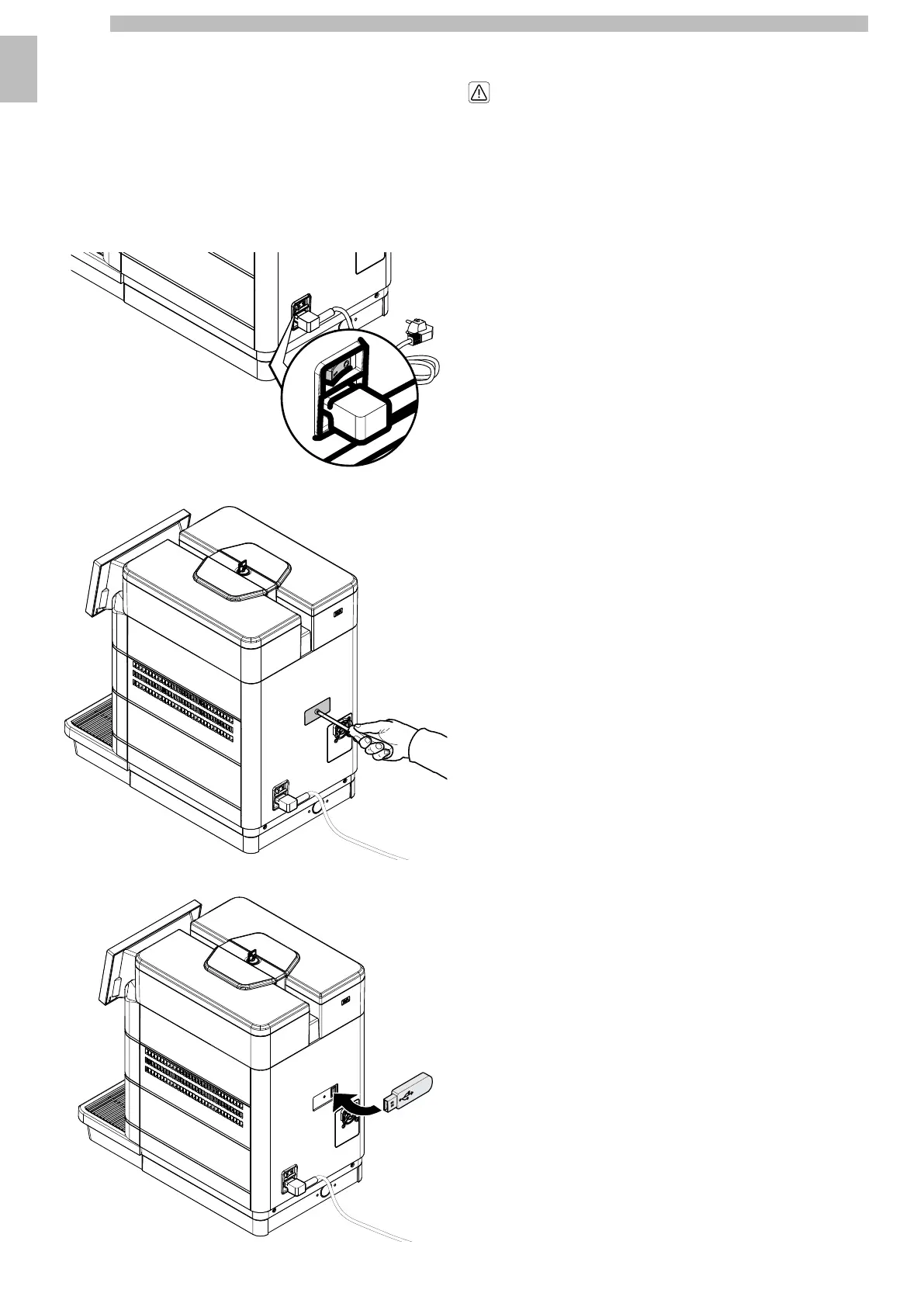
Turn off the machine using the power button.
13131313
Remove the USB port cover.
13131313
Insert the USB key into the USB socket.
13131313
Turn on the machine via the power button.
13
At this point the software is updated.
1313
Theupdateprocesstakesafewminutes.
Donotturnoffthemachineduringthis
phaseandwaituntiltheupdateprocedure
iscompleted,themachineisre-started
and is ready for use again.
1313
At the end of the update, the machine asks that the USB memory stick be removed.
13
remove the USB key.
13
After the removal of the USB memory stick, the machine restarts automatically.
1313










 To Next Page