English
15
96
Disconnectthesolenoidvalvefromtheelectricalpowerandhydraulicpower.
Remove the 2 screws shown in figure using a Torx T20 screwdriver.
1515151515
15.17Disassembly 7 inch tablet
15
The following tools are necessary to remove this component:
151515
Torx screwdriver T10
151515
Toreachtheparttoreplace,followthedismantlingprocedureforthecoversthat
has been previously outlined.
1515
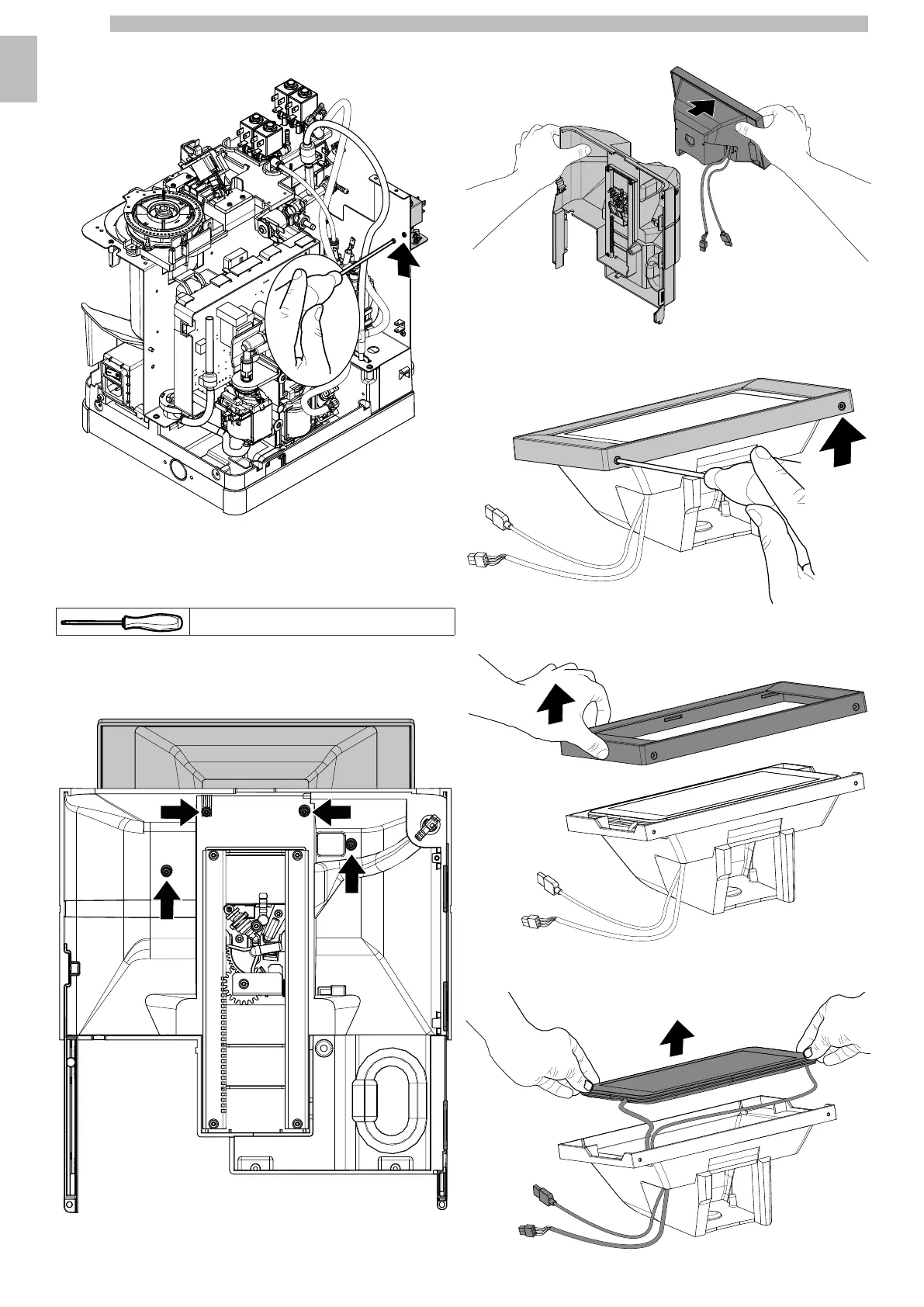
Remove the 4 screws shown in figure using a Torx T10 screwdriver.
1515151515
Remove the tablet holder from the front panel by extracting the cables.
1515151515
Remove the 2 screws shown in figure using a Torx T10 screwdriver.
1515151515
Remove the tablet holder frame.
1515151515
Remove the tablet.
151515










 To Next Page