English
14
72
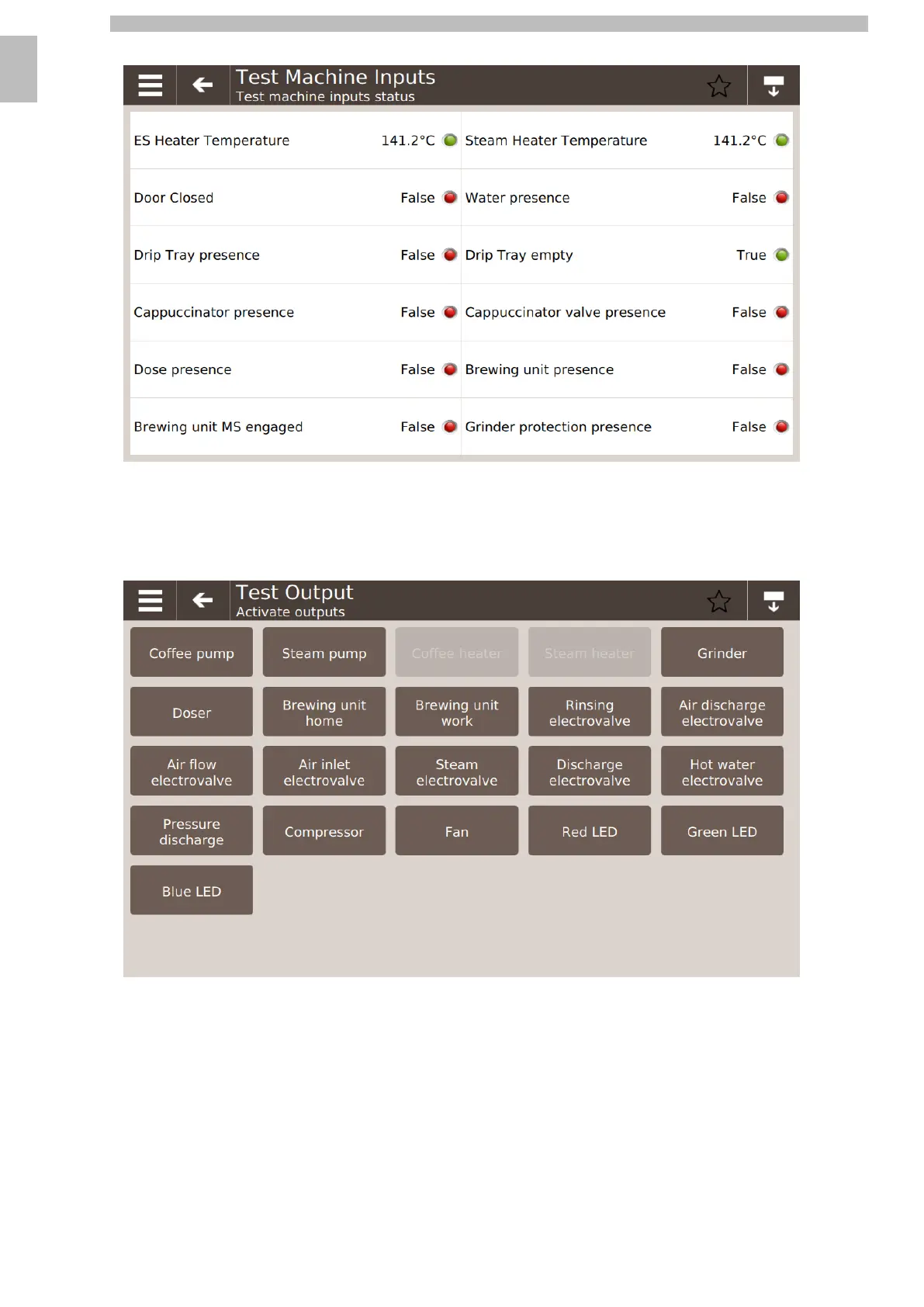
14.3.2Machine input verification
14141414
This pageshowsaphotograph ofthestatusofthe machineinputs.Withtheexception ofthetemperaturesof thecoffeeandsteamboilers wherethevaluesareshown in
centigrade, for the other inputs the status can be True/False shown respectively by the green/red LED.
141414
14.3.3Output Test
14141414
Byclickingoneverycomponentbuttoninthisscreen,thecomponentindicatedonthebuttonwillbeactivated.Iftheconditionsofthemachinedonotallowit(for
instance the temperature of the boilers), the outlet will be disabled (grey button).
14
The activation of the components is configured in two ways depending on the test:
14
•
By pressure
14
•
By click
1414
By
pressure
14
The component is activated by holding the button down. When the button is released, the component is disabled.
1414
By
click
14
The component is enabled/disabled with a click of the button.
1414
The double method permits, where possible, the combined activation of several components.
1414










 To Next Page