
 Need help?
Do you have a question about the Sakura Tissue-Tek Xpress x120 and is the answer not in the manual?
Instrument for processing human and animal tissue specimens for histopathology examination.
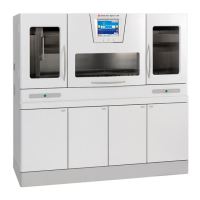
Describes the Tissue-Tek Xpress x120 as a continuous rapid tissue processor.
Defines safety labels (NOTE, CAUTION, WARNING) and lists specific safety instructions.
Details components of the instrument's front cabinet, including access doors and indicators.
Details indicators, doors, cabinets, and feet/casters on the instrument's front.
Describes power switch, start button, USB interface, and alarm/UPS ports.
Identifies major systems and components of the instrument via a diagram.
Describes the loading station and microwave retorts (#1 and #2).
Details preheating chambers and the cabinet for storing reagent containers.
Describes vacuum stations (#3 and #4) and the paraffin oven for reagent heating.
Details overflow bottles and the station for storing processed baskets/magazines.
Explains the automated transfer system and the fume control system.
Details the controls and indicators for operating the instrument.
Lists models, power requirements, ratings, noise level, and fume control compliance.
Lists electrical safety certifications and compliance standards for various models.
Describes how to turn the instrument's main power on and off.
Covers installation requirements and environmental factors for optimal performance.
Instructions for setting reagent bottles and performing daily pre-start checks.
Lists accessories provided and how to handle missing or damaged items.
Explains system customization and how to access the UTILITIES menu.
Allows configuration of user-selectable options and operating parameters.
Covers PASSWORDS and USER DEFINED FILE for managing system users and data.
Covers READY/SHUTDOWN TIMES and PROCESS RECOVERY functions.
Details settings for UPS, OUTPUT, EDIT ITEM, FILE NAME, SOUND VOLUME, SOUND SELECTION.
Details settings for LANGUAGE, DATE FORMAT, TIME FORMAT, and DATE/TIME.
Explains how to set institution name, add/edit/delete user names and passwords.
Describes how to create identifiers for sorting data in Run History and Statistics.
Sets automatic warm-up (ON) and shutdown (OFF) times for the system.
Overrides on/off time settings for specific dates when the instrument is not used.
Ensures initial setup is done; explains control panel display for operation.
Displays system status during ready and processing states with various indicators.
Details using standard baskets or Paraform magazines for processing.
Discusses specimen preparation procedures for the instrument.
Explains how the instrument starts up and enters the WARMING UP SYSTEM cycle.
Details automatic and manual instrument start-up procedures.
Explains the warm-up cycle and how to log into the system.
Recommends logging off and outlines the four phases of system operation.
Allows administrators to change preprocessing times for the loading station.
Steps to load specimens and start a processing cycle using the control panel.
Explains how the Process Monitor screen displays status and provides information.
Procedures for unloading processed baskets and transferring them.
Details the shutdown process for efficiency, saving power and reagents.
Details automatic and manual instrument shutdown procedures.
Discusses process scheduler, reagent monitoring, and door open protocols.
Performing an emergency stop and accessing historical/statistical reports.
Viewing instrument software versions and historical processing run data.
Accesses statistical data on the number of runs and cassettes processed.
Accesses a log of errors occurring in systems, subsystems, or processes for diagnosis.
Describes recovery for operations suspended due to errors and how errors are detected.
Details reprocessing specimens starting in Retorts 3 or 4 after an error.
Lists consumable materials and standard accessory items with product codes.
Lists maintenance items and accessories compatible with the AutoTEC Embedding System.
Provides contact information for ordering consumables and accessories.
Information on instrument care and maintenance performed as needed.
Details methods for cleaning processing baskets and magazines to prevent clogging.
Procedures for cleaning overflow bottles and replacing pre-processing solution.
Explains when and how to replace reagents in Retorts #1 and #2.
Detailed steps for replacing paraffin in Retorts #3 and #4.
Procedures for replacing paraffin and clearing the reagent counter.
Procedure for daily replacement of soiled drip tray liners.
Guides for cleaning the instrument exterior and retort interiors.
Instructions for cleaning retort mesh filters to prevent debris accumulation.
Instructions for cleaning paraffin oven mesh filters to ensure proper filling and draining.
Weekly cleaning of sight tubes to ensure proper reagent levels and prevent overflow.
Weekly cleaning of preheating chamber sight tubes for proper reagent levels.
Instructions for monthly replacement of the activated carbon filter for fume control.
General advice and cautions for troubleshooting instrument errors.
Lists common problems, probable causes, and remedies for the instrument.
Explains how errors are monitored, trigger alarms, and are logged.
Guidance for contacting customer support and recording instrument details.
Lists replacement, service, and consumable parts with product numbers.
Lists optional accessories and provides ordering information.
Introduces the manual's purpose and guidelines for tissue processing.
Discusses immersion time settings (2mm or 3mm) for tissue processing.
Details the use and benefits of Pre-Processing Solution and Fixative.
Details the extended program and specimen loading process.
Explains the mandatory use of Molecular Fixative for specific studies like DNA, RNA, and protein.
Compares staining results and effects of Molecular Fixative on various tissue studies.
Provides procedures and materials for an RNase-free cleaning environment.
Discusses sectioning and staining of processed tissue blocks.
Notes artifacts and provides procedures for reprocessing tissue.
Recommends reagent replacement frequency based on cassettes processed or days.
Lists recommended practices and prohibitions for tissue processing.
Refers to MSDS sheets for proper disposal of processing solutions.
Outlines the steps for processing tissues using Standard and Extended Programs.
 General
| Brand | Sakura |
|---|---|
| Model | Tissue-Tek Xpress x120 |
| Category | Computer Hardware |
| Language | English |

 To Next Page
