32 • Getting Started Sam4S 230, 3xx, 4xx, 52xx Electronic Cash Register AU
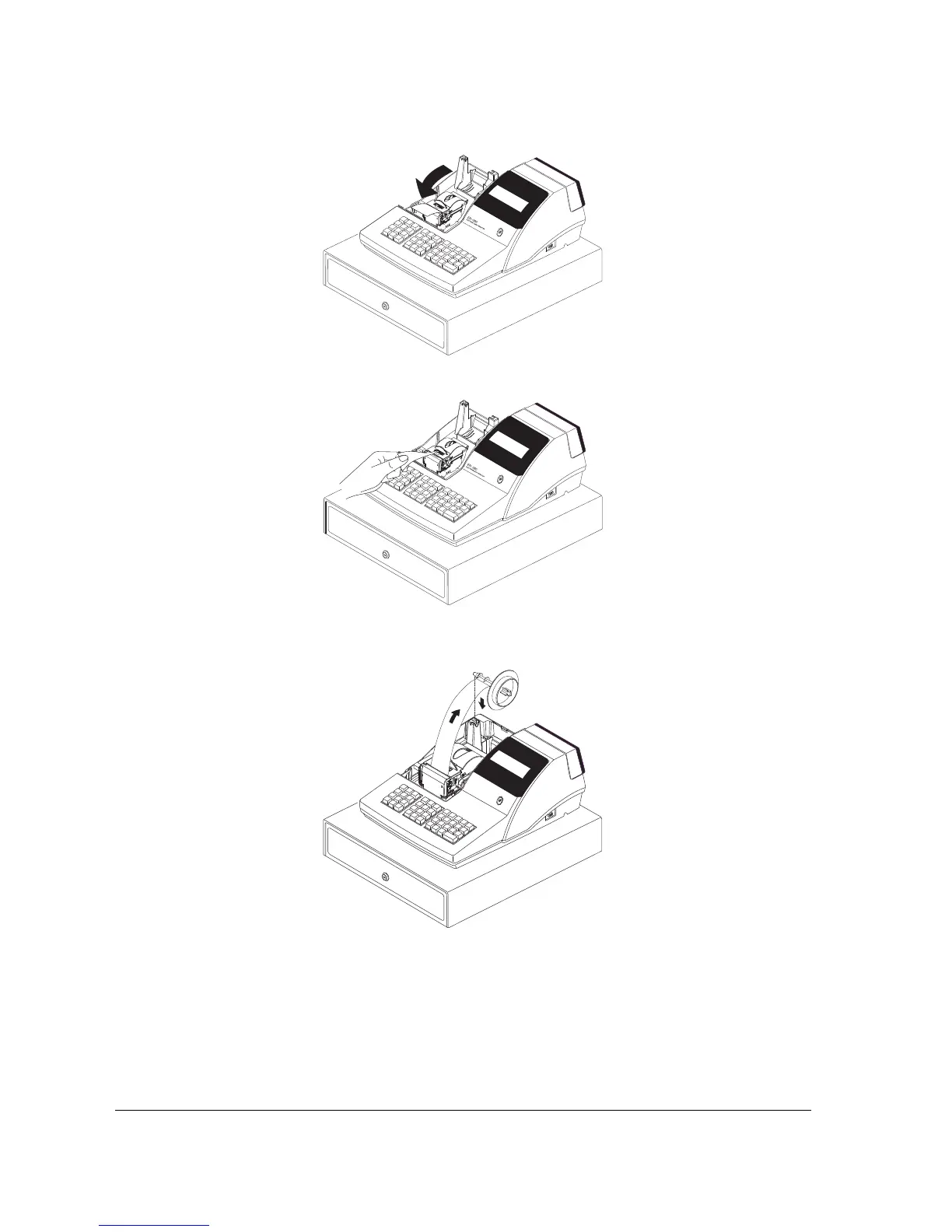
6. Passing the leading edge of the paper through the cutter slot. Tear off the excess paper.
Replace the printer cover.
※ If you wish to use the printer to print a sales journal or electronic journal, insert the paper into
the paper take-up spool. Wind the paper two or three turns around the spool shaft and install
the spool in the mount.
ER-380
E
L
E
C
T
R
O
N
I
C
A
S
H
R
E
G
IS
T
E
R



 To Next Page