EB 6493 EN 8-5
Start-up and conguration with TROVIS-VIEW
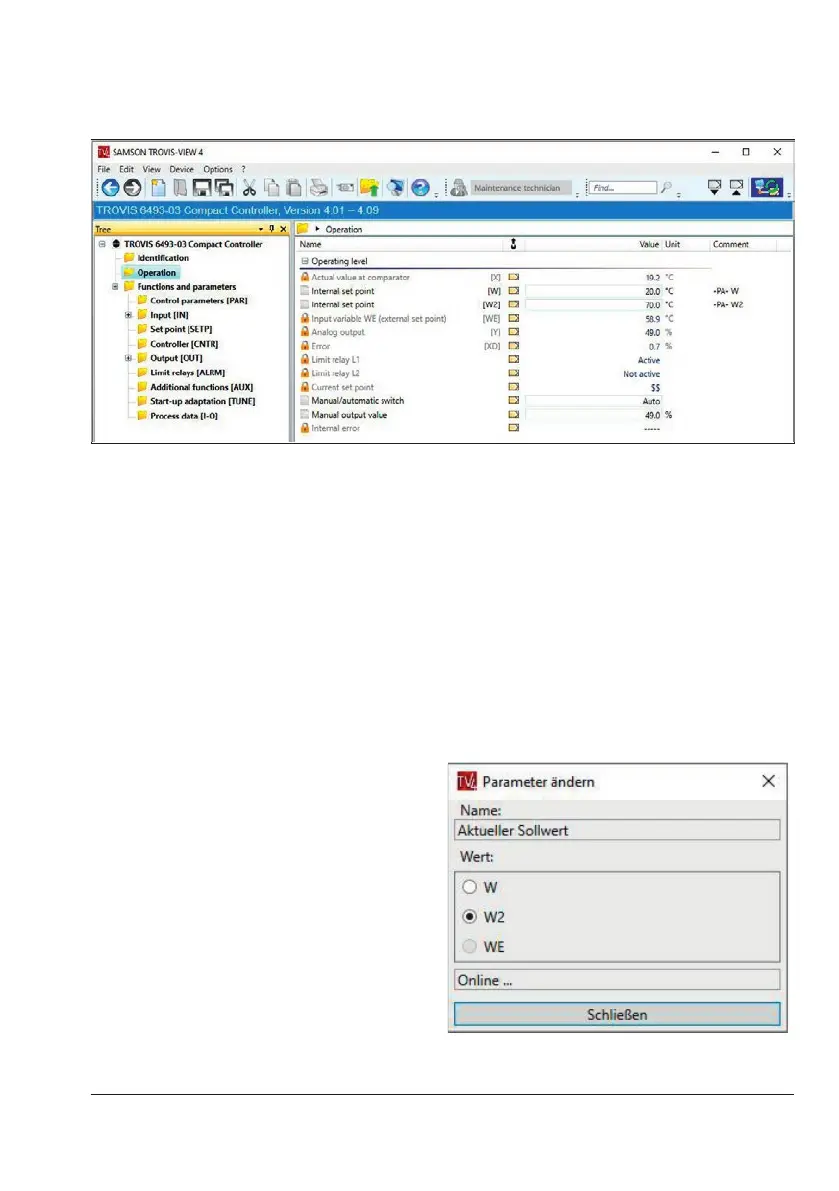
Set point switchover
Conditions for the set point switchover:
− The set points involved are activated in the controller (SETP main group), e.g. W = ON
and W2 = ON.
− If a set point switchover via the binary input BI1 is congured, the binary input must be
deactivated during the switchover with TROVIS-VIEW.
− The infrared adapter must be connected to the computer and aligned to the infrared in-
terface of the compact controller (see the 'Operation' section).
Example:
Switching over set points W/W2
1. Switch TROVIS-VIEW to ofine mode.
2. Double-click Current set point to
activate the data point.
An online connection is briey
established to the controller. The current
set point is read.
3. Select the required set point.
The set point switchover takes place.



 To Next Page