8-8 EB 6493 EN
Start-up and conguration with TROVIS-VIEW
The units are only intended for documentation and are only saved in the TROVIS-VIEW le
and not in the controller itself.
Example:
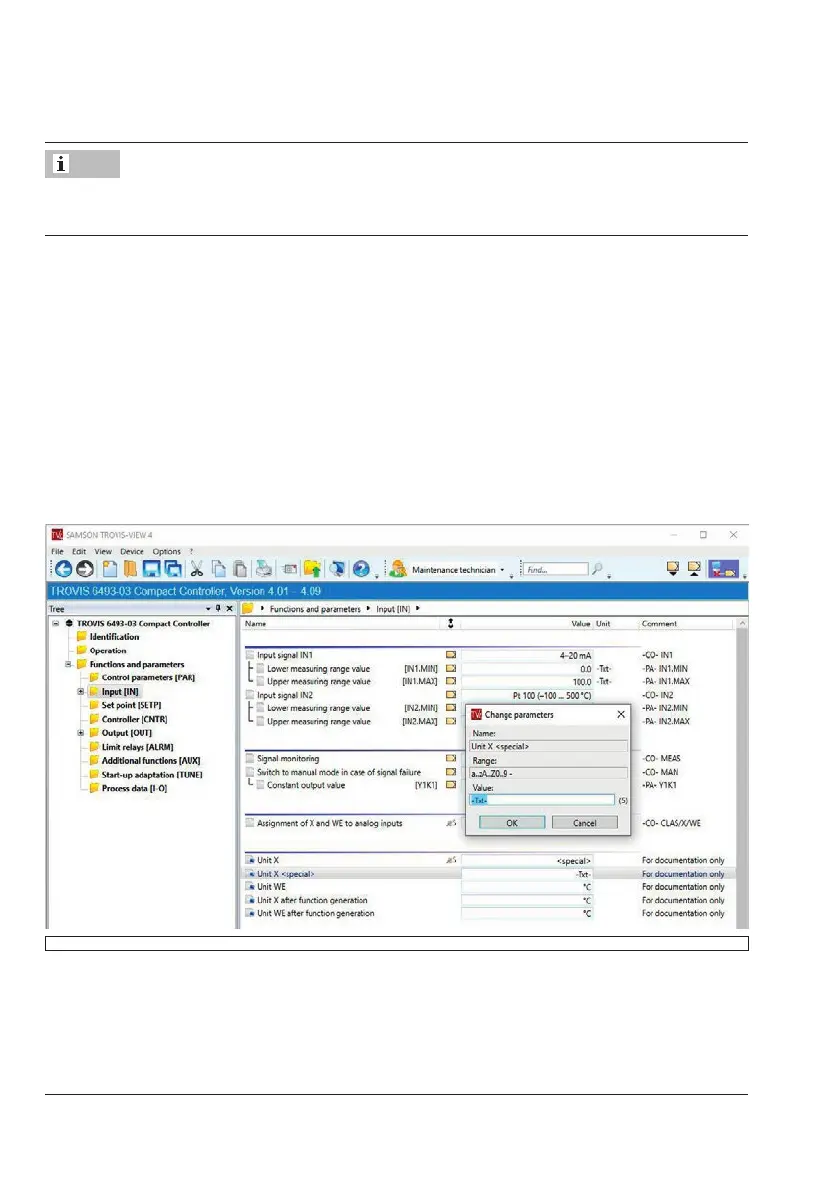
User-dened unit for the controlled variable X
1. Double-click Unit X to activate the data point.
2. Select '<special>' from the drop-down list.
3. Click [OK] to conrm.
A new row 'Unit X <special>' is created.
4. Double-click 'Unit X <special>' to activate the data point.
5. Enter the new unit in the pop-up window and conrm selection by clicking [OK].
The new unit is adopted.
Note



 To Next Page