20
3. ROUTINE MEASUREMENT
3.1 DISTANCE SURVEY CAUTIONS
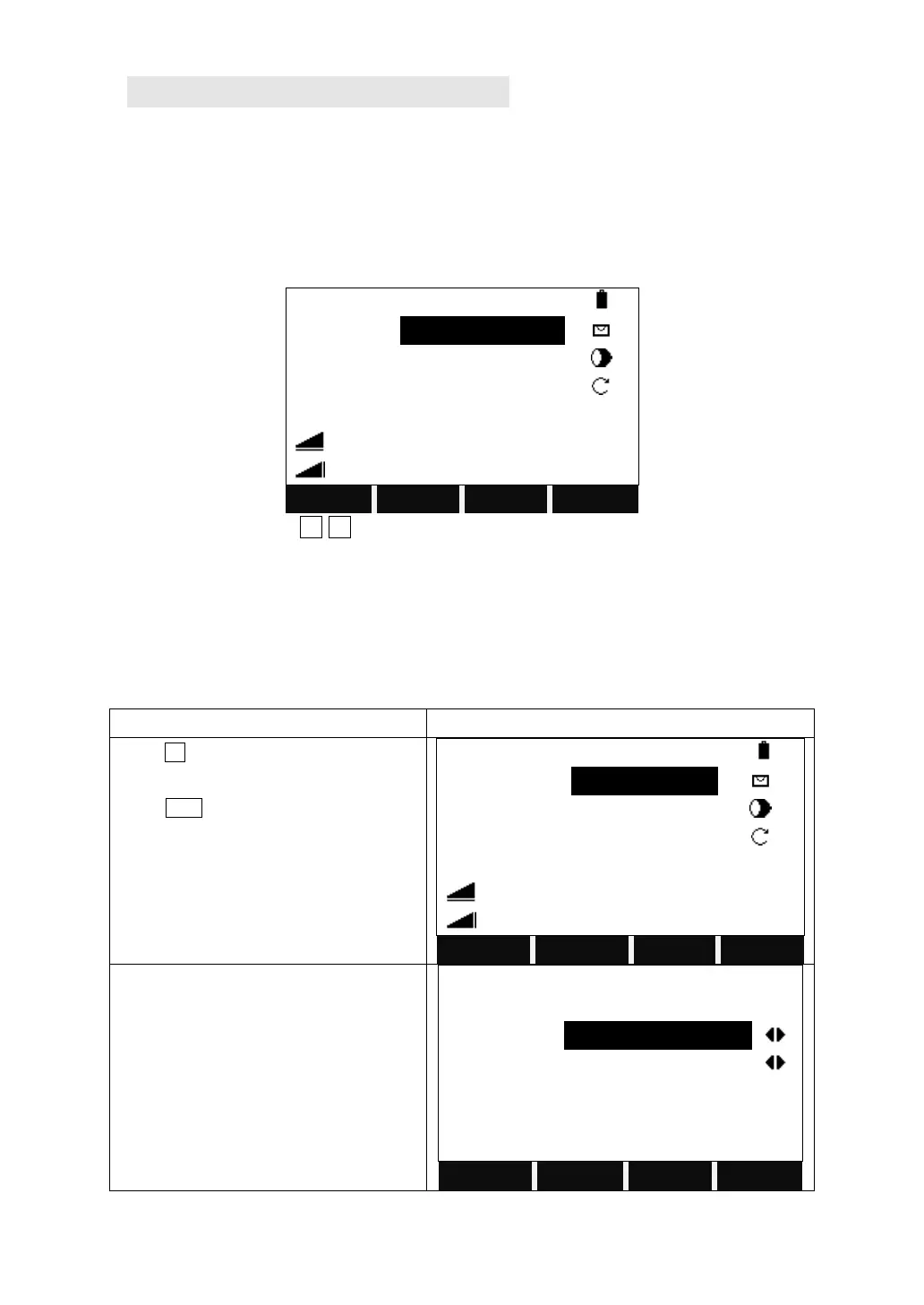
In the measurement display it is possible to call up fixed keys, and function keys,
as well as trigger keys and their functions.
All shown displays are examples. It is possible that local software versions are
different from the basic one.
Example of a possible measuring display:
F1-F4 Calling up the assigned functions.
3.2 EDM SETTINGS
3.2.1 Setting EDM Mode, Reflector Modes, and Prism Constant
The measurement modes available are: Fine [r], Tracking, Fine [s], Fine [2], Fine
[3], Fine [4], Fine [5].
The Reflector Modes available are: Prism, Non-P, Sheet.
Press F4 to turn to the function key bar as
shown on the right.
Press EDM.
Move the cursor to EDM Mode and
choose the mode you need.


 To Next Page