38
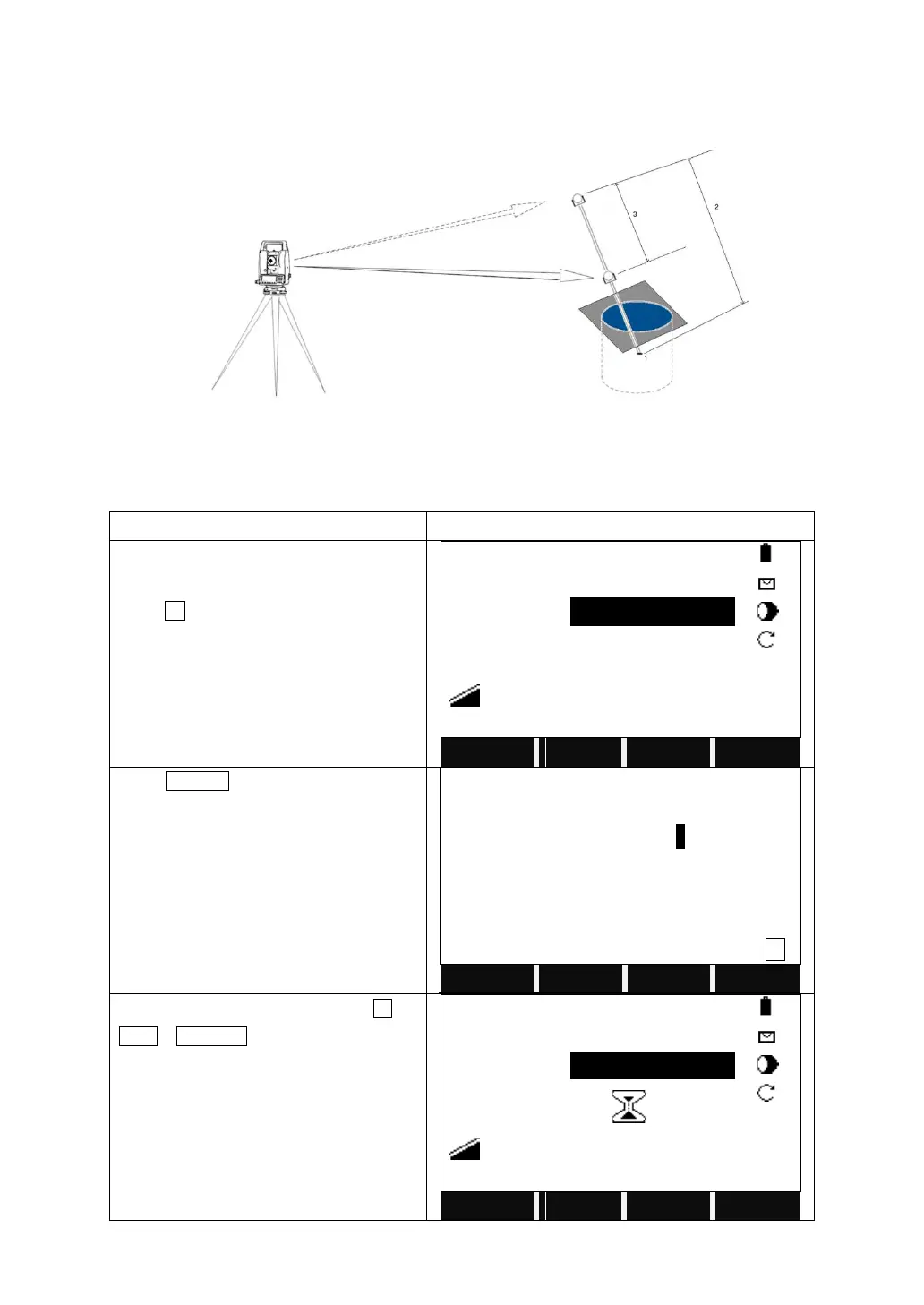
4.6 HIDDEN POINT MEASUREMENT
The program allows measuring to a point that is not directly visible, using a
special hidden-point rod.
The Picture shown above implies:
1) E, N, H of Hidden Point
2) Rod Length
3) Distance R1-R2
Turn to Page 2/4 in Function menu.
Press F2, Hidden Point.
Press ROD/ED.
Input the rod length, distance between R1
and R2, and the measure tolerance.
Meas.Tol is the limit for difference
between the given and measured
distance of these 2 prisms. If the
tolerance value is exceeded, the program
will issue a warning.
Focus on the first prism, and press All (or
DIST + RECORD).



 To Next Page