77
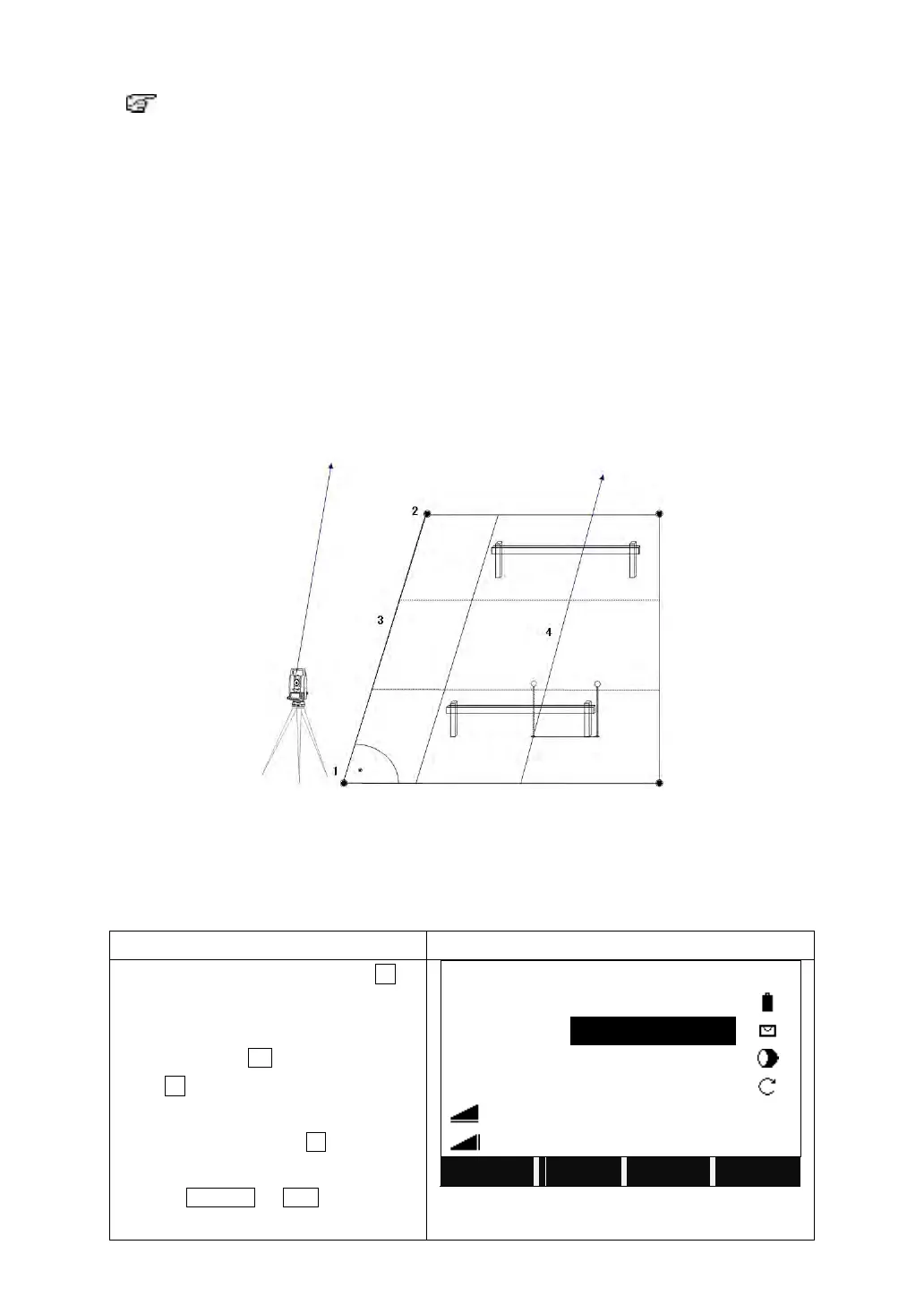
5.11 REFERENCE LINE / ARC
If equipped with REFERENCE LINE/ARC, then ROAD and
CONSTRUCTION SITE STAKE OUT will be deleted.
This program facilitates stake-out or checking lines for buildings, sections of road,
simple excavations, etc.
5.11.1 Reference Line
A reference line can be defined as a known base line. The reference line can be
offset longitudinally, in parallel or vertically to the base line, or be rotated around
the first base point as required.
5.11.1.1 Definition of Base Line:
The base line is fixed by 2 base points that can be defined in 3 ways:
·Measured points
·Enter coordinates using keypad
·Select point from memory
1: 1st base point
2: 2nd base point
3: Baseline
4: Reference line
On Page 2/3 of Programs, press F4 to
start Reference Line/Arc.
After setting the job, station and
orientation, press F4.
Press F1 to start Reference Line.
Input the PtID of the 1
st
base point and its
prism height, and press All to start the
measurement. You can also call up the
point by SEARCH or LIST, or input the
coordinates of the PtID does not exist.



 To Next Page