66
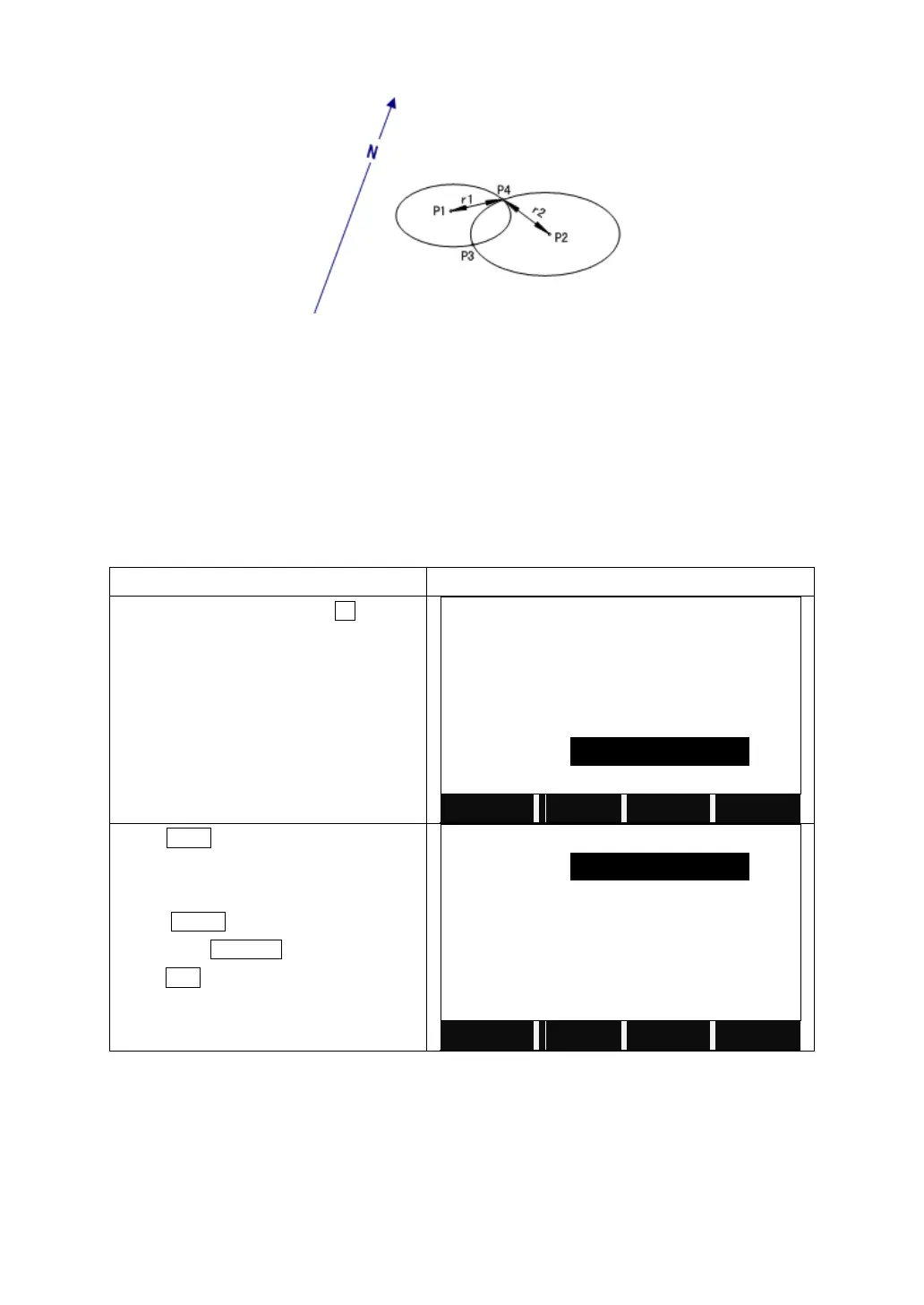
5.7.2.3 Distance-Distance Intersection
The known data:
P1: The first known point
P2: The second known point
r1: Radius, as defined by the distance from P1 to P3 or P4
r2: Radius, as defined by the distance from P2 to P3 or P4
The unknown data:
P3: The first COGO point
P4: Second COGO point
In Intersection menu, press F3 to start
Distance-Distance COGO calculation.
Enter the PtID of Point1.
Input the horizontal distance from P1 to
P3.
Input the PtID of Point2.
Input the horizontal distance between P2
and P3 or P4.
Press CALC to calculate and display the
result.
Press STAKE to start staking out the
point. Press RECORD to save the result.
Press ESC to start a new COGO.



 To Next Page