Multi-Port Optical Power Meter MPM-210
5-19
In case of the SWEEP measurement mode (SWEEP1, SWEEP2), the measurement
data point is calibrated using the set value by the “WSET” command.
Data point = (Stop wavelength – Start wavelength) / Wavelength step + 1
This number can be queried with the LOGN? Command.
In case of the CONST1, CONST2 and FREERUN measurement mode, users set the
measurement data point by the “LOGN” command.
When the Logging function is performing, if users reset the number of the
measurement data to be smaller than the number of currently acquired dta, the
logging in progress is stopped.
In that case, the data values with the "STAT?" Command are as follows.
N, M = N x M (set number) = Number of measured data
The logged data can be read with the “LOGG?” Command.
■ 5-6-3 Measurement data point setting (LOGN)
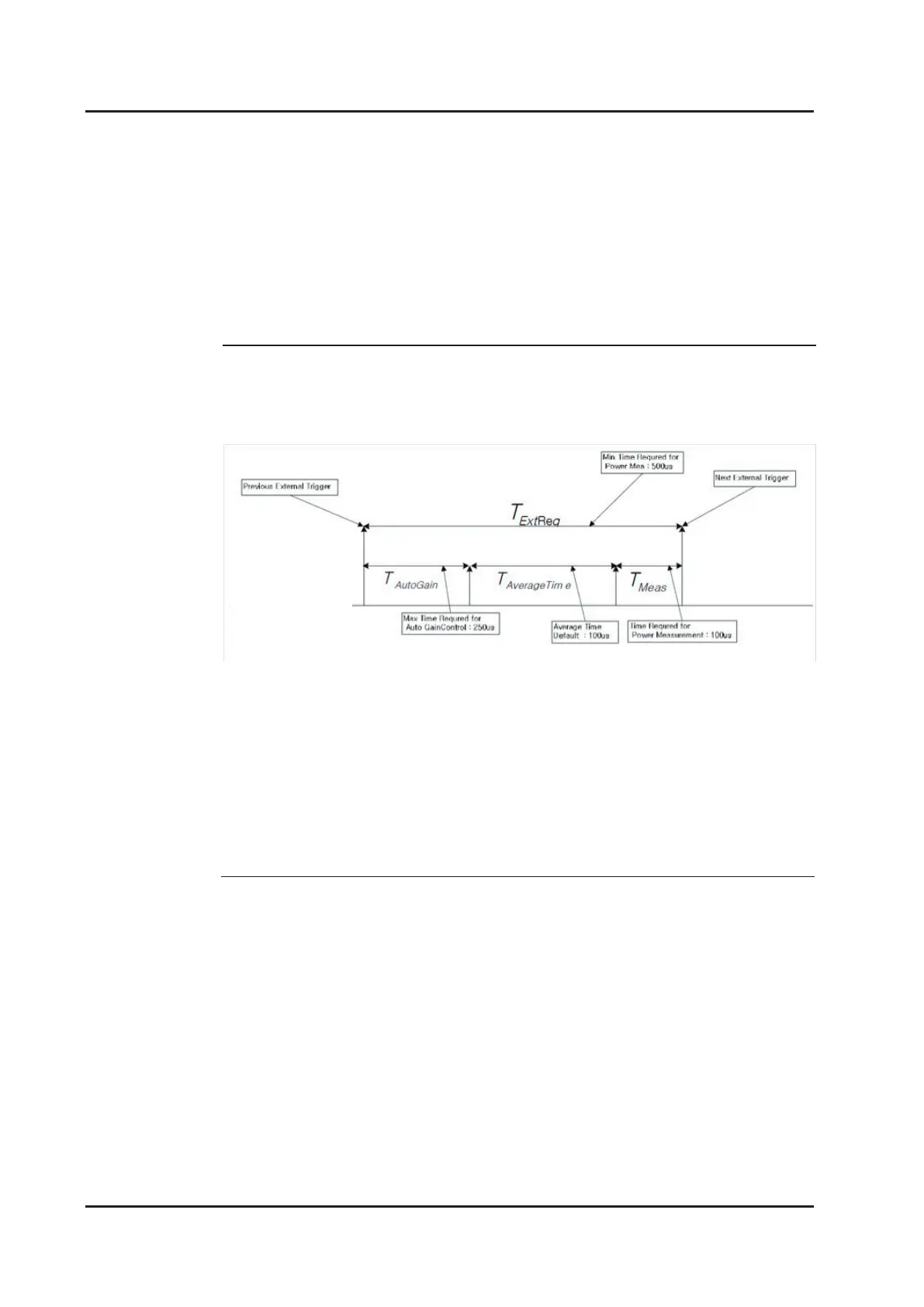
When the SWEEP measurement mode (SWEEP 2) is used with auto gain, please
pay attention to the timing of input trigger. The drawing at the bottom explains about
measuring time and gap between triggers on SWEEP2 measuring mode.
External trigger should be entered as longer than TExtReq, otherwise external trigger
will be ignored. To have more accurate measuring result, not focusing on speed of
measurement, users can increase TAverageTime. When TAverageTime is increased,
TExtReq also increases and it results as gap between external triggers get increased.
When users changes TAverageTime, either command “FGSAVG” or “AVG” can be
supported.
■ 5-6-2 Fast Gain Switching Average Time
SWEP2 measurement time chart



 To Next Page