30 GSM-X SATEL
GSM-X-ETH – if this option is enabled, the GSM-X-ETH module is supported by the GSM-X.
Dynamic IP address – select this option if GSM-X-ETH module IP address, subnet mask
and gateway are to be downloaded automatically from the DHCP server.
Static IP address – select this option if you want GSM-X-ETH module IP address, subnet
mask and gateway to be entered manually.
IP address – GSM-X-ETH module IP address.
Subnet mask – the mask of the subnet in which the GSM-X-ETH module is working.
Gateway – IP address of the network device through which the other devices in the local
network can communicate with devices in other networks.
Obtain DNS server address automatically – select this option if the GSM-X-ETH module is
to download IP address of the DNS server automatically from the DHCP server.
Use the DNS server address – select this option if you want the IP address of DNS server
to be entered manually.
Preferred DNS server address – IP address of the DNS server which is to be used by the
GSM-X-ETH module.
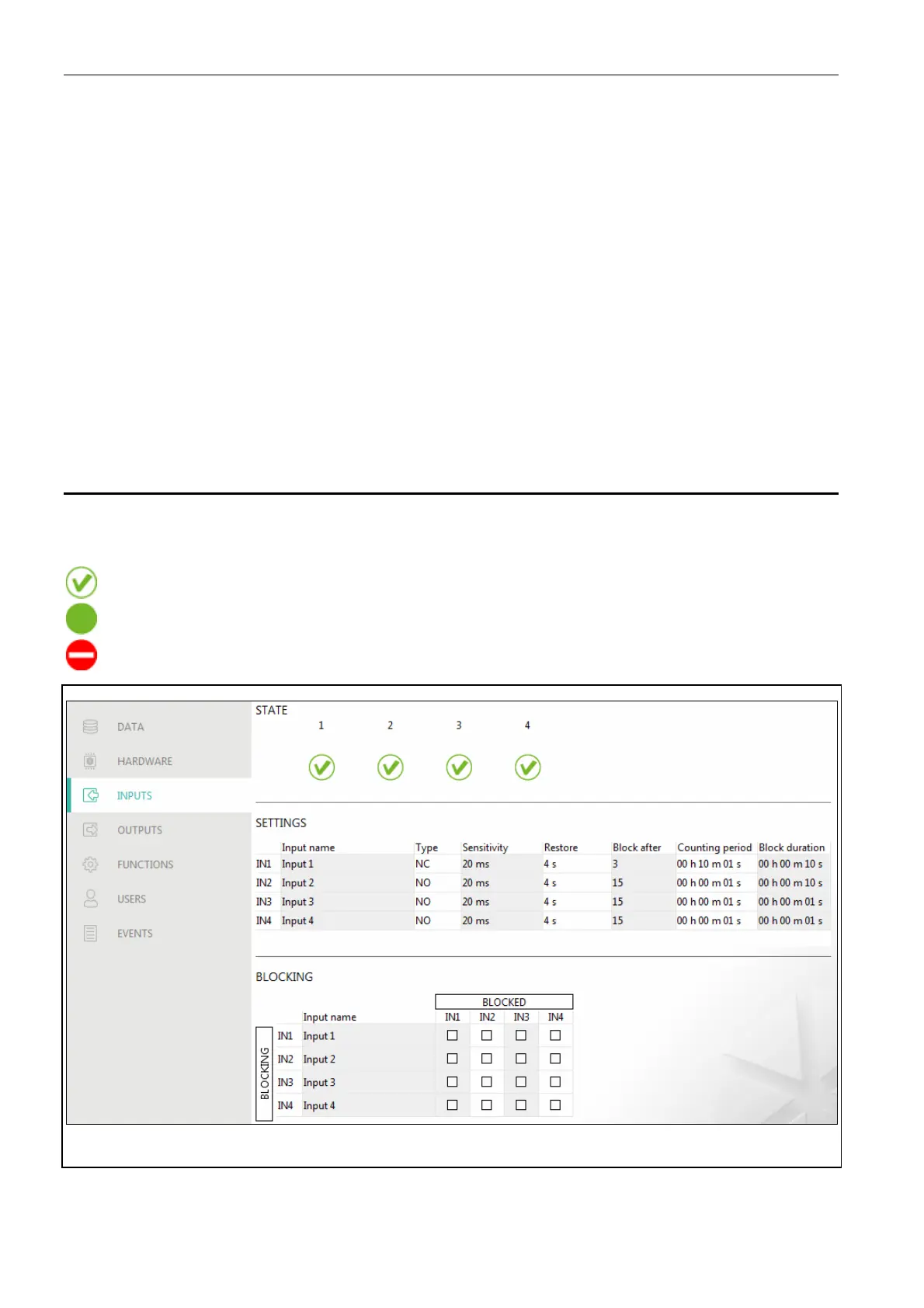
7.6 Inputs
7.6.1 State
The numbers above the buttons correspond to the numbers of inputs.
input in normal state. Click to block the input.
input violated. Click to block the input.
input blocked. Click to unblock the input.
Fig. 28. “Inputs” tab.
7.6.2 Settings
Input name – individual name of the input (up to 16 characters).



 To Next Page