SATEL GSM-X 31
Type – you can program the input as NC (normally closed) or NO (normally open).
Sensitivity – the time during which the input must be violated, so that it can be noted by the
module. You can enter from 20 ms to 5100 ms.
Restore – the time counted from the input restore, after which the module will recognize that
the normal status of input is restored. You can program 4 seconds or 240 seconds.
Block after – the number of violations after which the input will be automatically blocked (the
input is blocked after restore). You can program from 0 to 15. Value 0 means no blocking.
Counting period – the time after which the counter of violations programmed for the given
input will be reset. You can program from 0 to 24 hours. Value 0 means that the violations
will be counted without time limits.
Block duration – if the input is to be automatically blocked for a specific time period, it must
be entered. You can program from 0 to 24 hours. Value 0 means that the given input will
be blocked until unblocked by the user.
7.6.3 Blocking
You can indicate the input whose violation will block other inputs of the module. Blocking
input violation restore means end of blocking. Each of the module inputs can block the other
3 inputs. The table lines present the blocking inputs, and the columns present the blocked
inputs. If you want the input violation to block the other module inputs, select the field at the
intersection of the corresponding line and column.
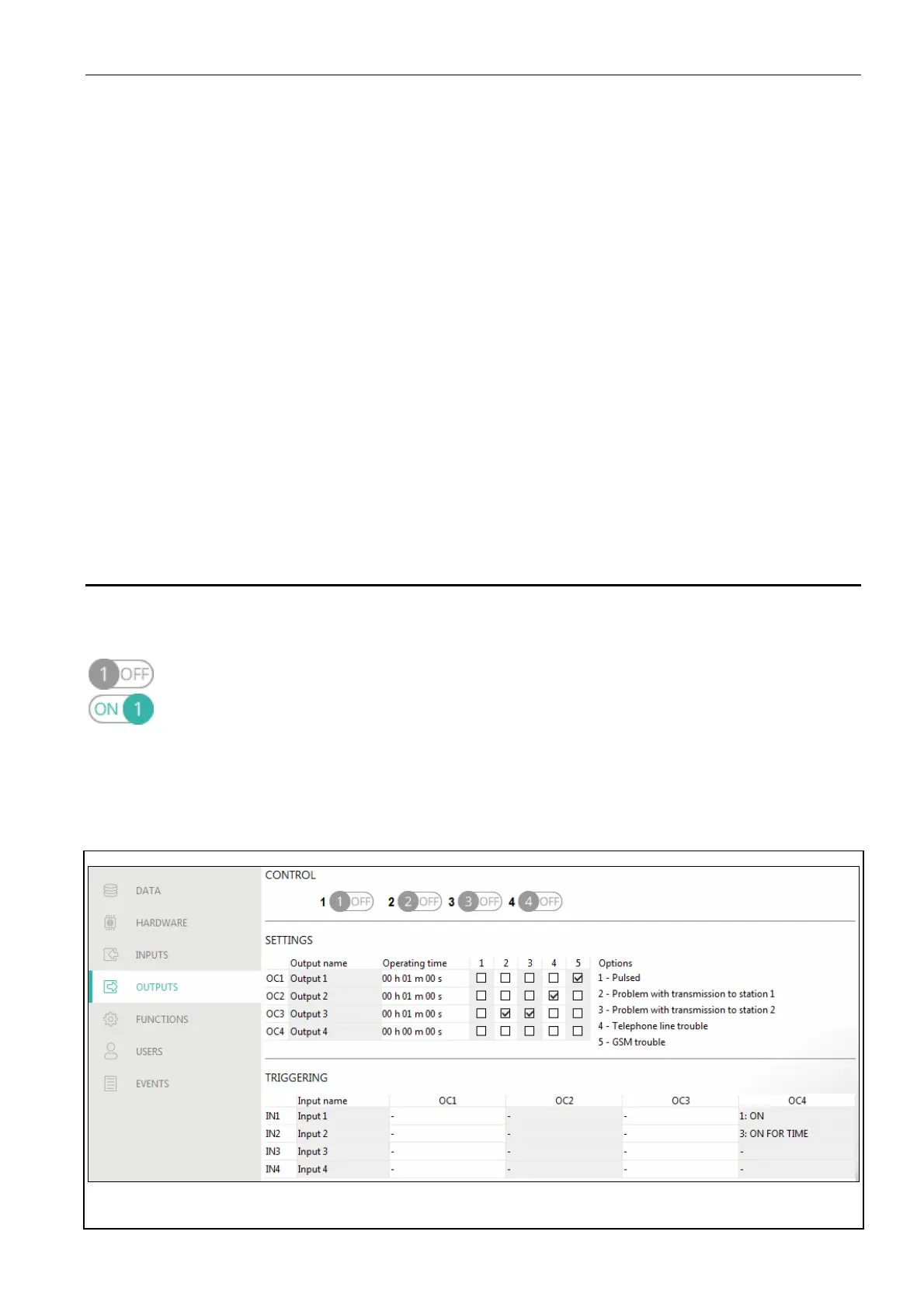
7.7 Outputs
7.7.1 Control
The numbers correspond to the numbers of outputs.
output inactive. Click to activate the output.
output active. Click to deactivate the output.
7.7.2 Settings
Output name – individual name of the output (up to 16 characters).
Operating time – time during which the output is active. Entering “0” will keep the output in
the same state until deactivated by the user.
Fig. 29. “Outputs” tab.



 To Next Page