SATEL GSM-X 45
Confirmation – if this option is enabled, receipt of the CLIP message by the given user is to
be acknowledged. In order to acknowledge receiving the message, the connection with
module must be rejected not earlier than 10 seconds and not later than 20 seconds since
the telephone ring is heard. Acknowledgement of receiving the CLIP messaging will make
the module stop repeating it.
SMS – if this option is enabled, failure to receive the acknowledgement of CLIP messaging
will result in sending to the given user telephone number of an SMS message with content
entered for this event.
7.13 Event converter
The module can notify the users of events received from the control panel in the form of
event code. Notifications can be realized via:
SMS/push messages – the text of messages to be used for notification must be saved to
the module by using the GX Soft program.
CLIP – the module will inform the users of the event by calling the programmed phone
numbers and disconnecting automatically after maximum 15 seconds. CLIP offers toll-free
notification. The displayed module telephone number is to be treated as event notification.
You can indicate 32 events of which the module will notify the users.
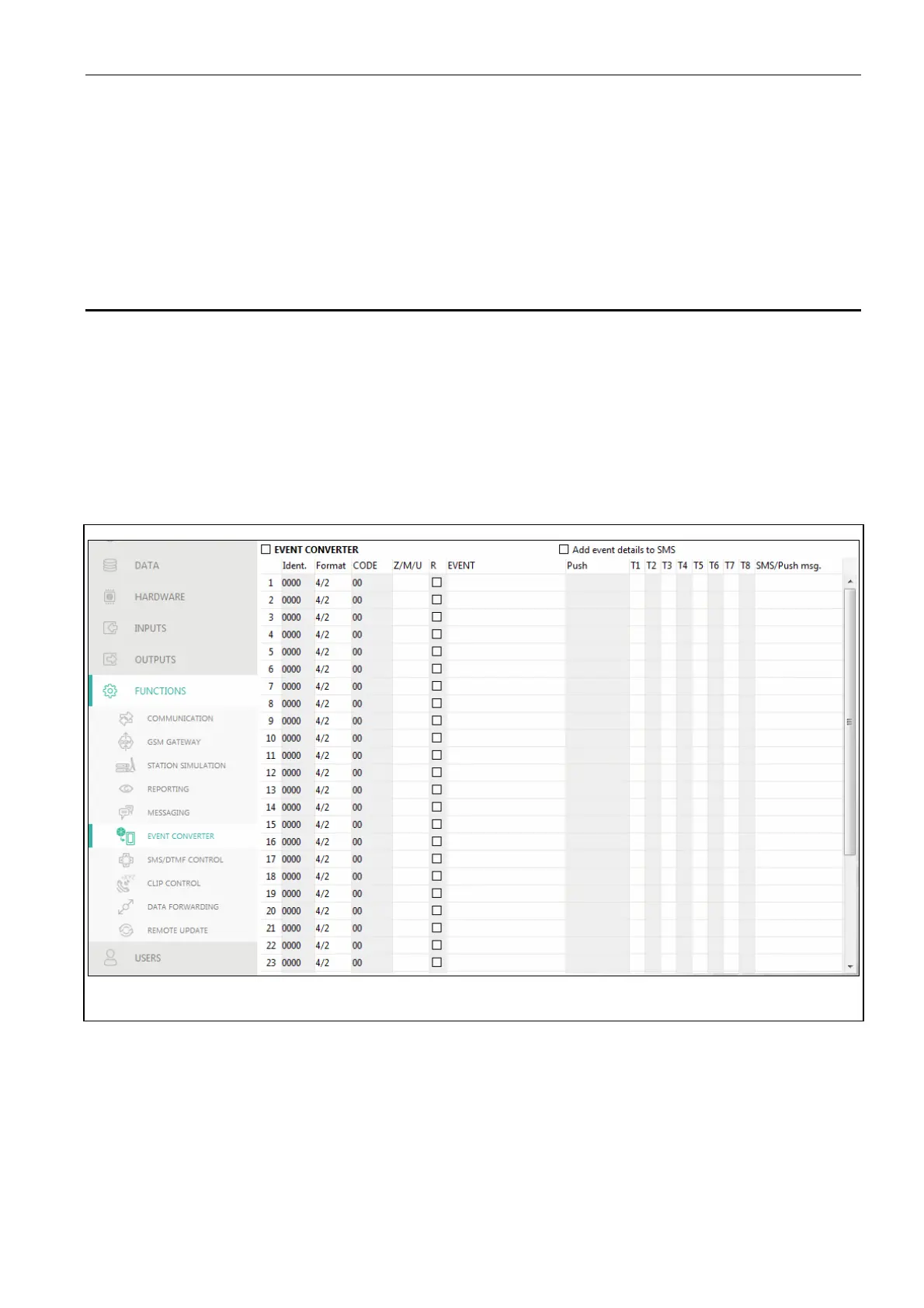
Fig. 37. “Event converter” tab.
Event converter – if this option is enabled, the module can notify the users of the events
received from the control panel.
Add event details to SMS – if this option is enabled, the number of partition where the event
occurred and the number of user or the number of zone that caused the event will be
automatically added to the SMS message sent by the module after receiving the event
code. The option only applies to event codes in Contact ID format.
Ident. – identifier that must precede the event code so that the module can send notification
of the event. For 4/2 or Contact ID format, you can enter 4 characters (digits or letters from
A do F). For SIA format, you can enter 6 characters. If you program no identifier,



 To Next Page