Page 13
Introduction 2
Operating Instruction Functional overview 2.2
Art. no.: 2.510474 rev.: d
ARGUS LCM/PLUS
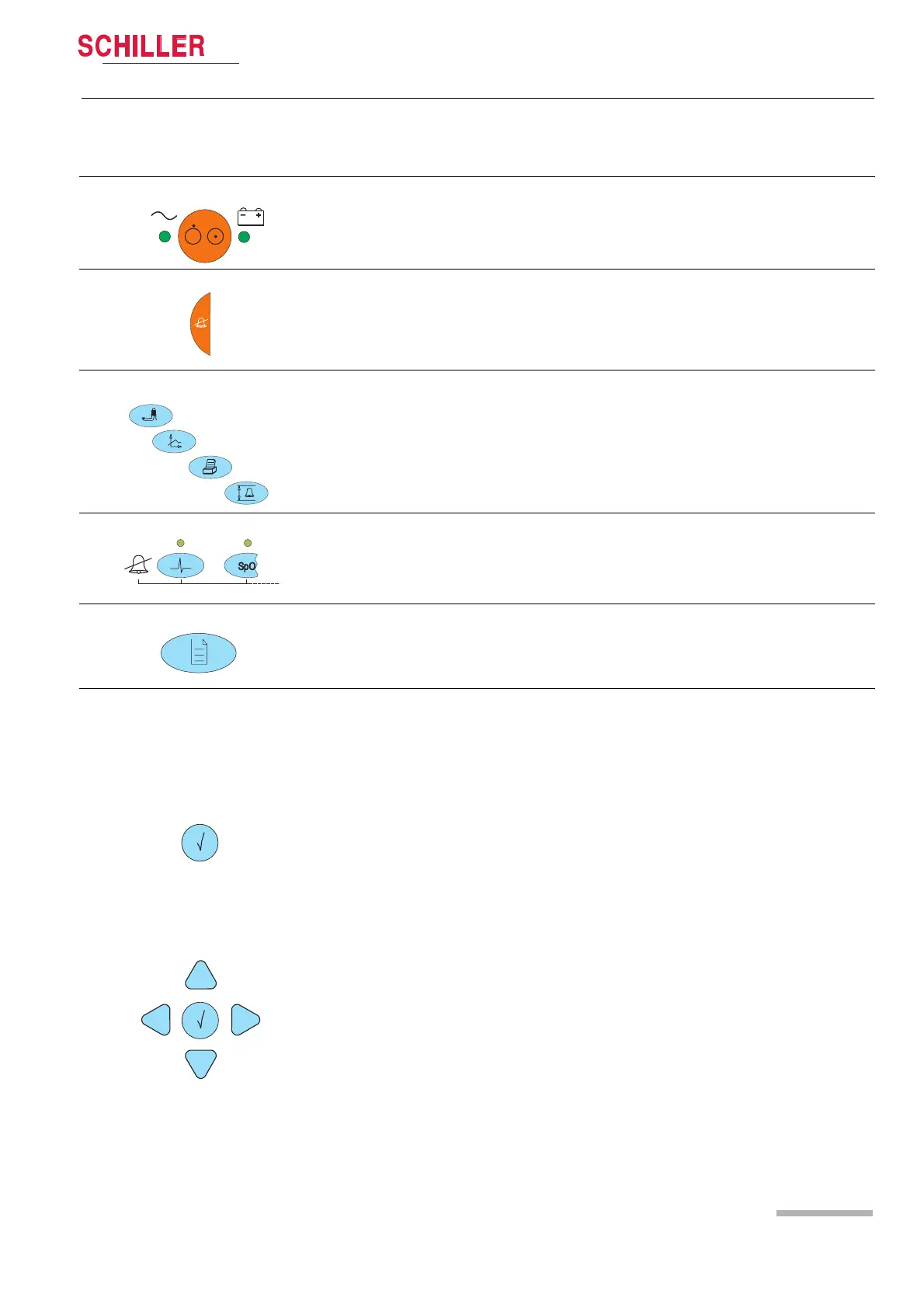
2.2.2 Description of buttons
ON/OFF
The LED indicates if the LCM is running from mains power or battery.
Button for suppression/acknowledgement of audible alarms
The alarm can be suppressed or acknowledged in two ways. This is defined in set-
tings About+/Alarm setup menu.
See detailed description in paragraph 3.7.3
Direct buttons for:
(1) NIBP start/stop or, if pressed for 2 s, switch between auto and manual
(2) Trend and alarm displays
(3) Printout of the current display
(4) Alarm limit settings
Alarm off
These buttons disable alarms of the individual parameters. Acknowledgement is
displayed on the top left e.g. ECG Alarm OFF. The LED above the corresponding
button is lit (for details refer to section 3.7.4).
Menu access
Opens the main menu. Navigate through the menus with the right/left buttons.
Press the menu button to again leave the menu.
Enter
Navigation
The navigation and enter buttons have different functions dependent on operating
mode:
Normal single lead display:
Pressing the enter button shows the first 3 leads instead of the single lead display.
By pressing the up/down buttons, the next lead, or lead group is displayed.
Press the left button to adjust the loudness of the audible alarm and the QRS sig-
nal.
Programming mode:
1. Activating the programming mode with the menu button.
2. Selecting the menu with the left/right buttons.
3. Selecting a value with the up/down buttons.
4. Press the enter button.
5. Change a value using the up/down buttons.
6. Retrieve a value by pressing enter.
Trend display mode:
Activate the trend display mode with the trend display button.
Use the
left/right buttons to move forward/backward in the trend display.
Use the trend button to toggle between the trend display, alarm display and normal
monitor display.













 To Next Page