3Operation
3.7 Procedure in case of an alarm
Page 22
Art. no.: 2.510474 rev.: d
ARGUS LCM/PLUS
3.7 Procedure in case of an alarm
3.7.1 Display of alarms
During initial switching on
The alarms are suppressed for a defined time (programmable in the menu About+/
Alarm. Alarm suppr. time standard is 3 minutes)
The message Alarm suppressed 3:00 appears.
During monitoring
There are two alarms:
• Technical alarm, displayed in the alarm status field on the top right.
In the case of a technical alarm, an audible alarm sounds and the measurement
field for the respective value flashes.
• Physiological alarms, displayed in the alarm status field on the top left.
In the case of a physiological alarm, an acoustic alarm sounds and the measure-
ment field for the respective value flashes.
3.7.2 Switching off an alarm
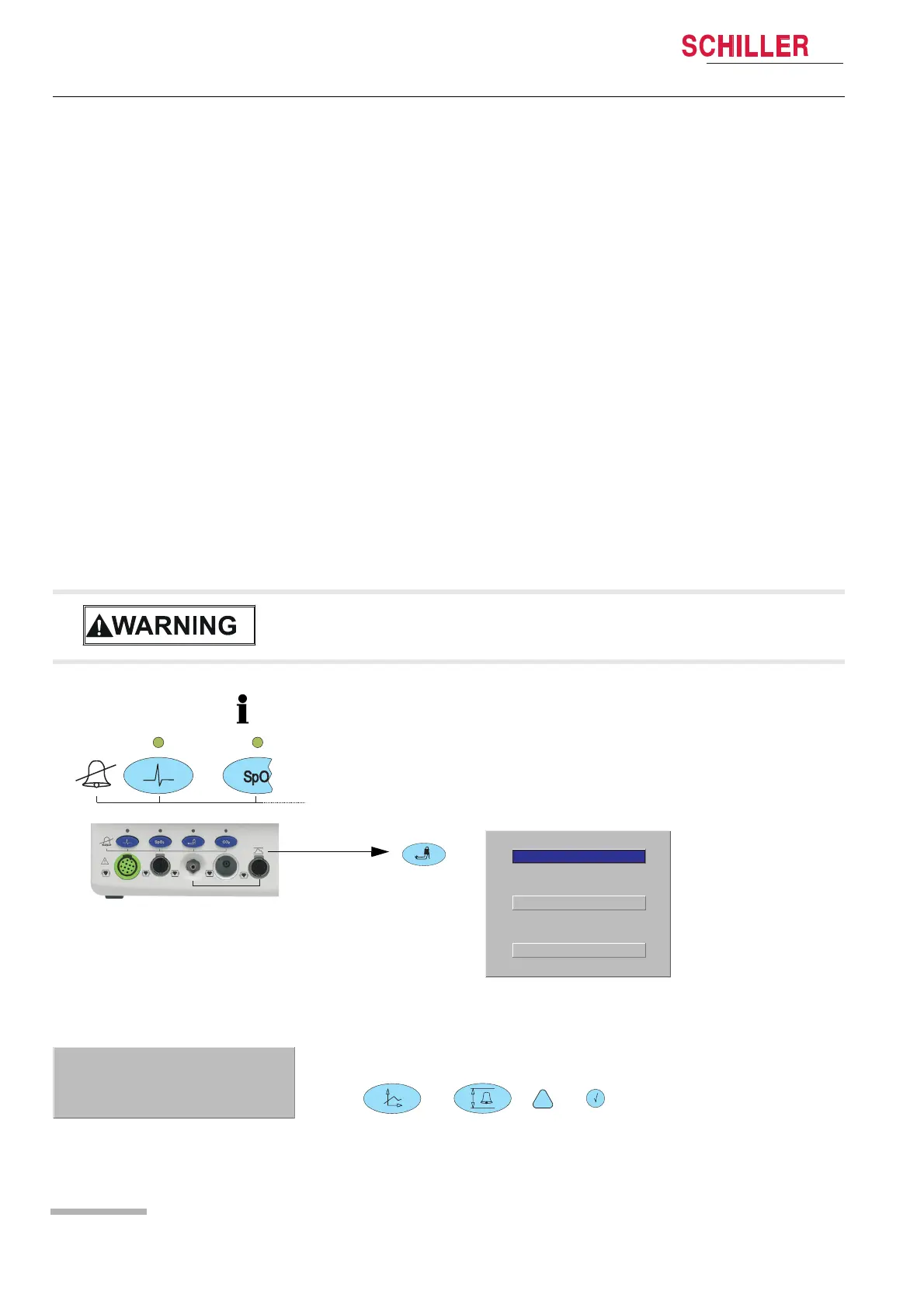
Each alarm off function is password protected. Read carefully the following warning
and information:
Entering alarm OFF password
V When the acoustic alarm is switched off, the patient acoustic physiological
alarms are silenced and suppressed indefinitely. Use this function only if discon-
necting a sensor from the patient for a long period of time.
• When the alarm off button is pressed, the audible alarm for the respective param-
eter is suppressed. This is indicated by the LED above the button and a message
on the monitor, e.g. Alarm ECG OFF. If an alarm occurs as long as the alarm off
button is pressed, a visual alarm is displayed in the respective measurement field.
• With the LCM plus version E the access to the NIBP and IBP alarm off function will
be executed by the NIBP alarm button. A menu with blood pressure alarm off (com-
mon for NIBP and IBP) and IBP calibration function appears.
BP Alarm On/Off
Connect zero mmHg
Start IBP calibration
End / Escape
1. Press the desired alarm off button. The password dialog appears.
2. Press following button to enter the password:
, , ,
1. The password protection can be disabled in the special menu see chapter 7.1.2
page 44
Enter Password
Press [Enter] to cancel
I,II, II













 To Next Page