Page 15
Operation 3
Operating Instruction Start-up 3.1
Art. no.: 2.510474 rev.: d
ARGUS LCM/PLUS
3Operation
3.1 Start-up
3.1.1 Connecting and power on
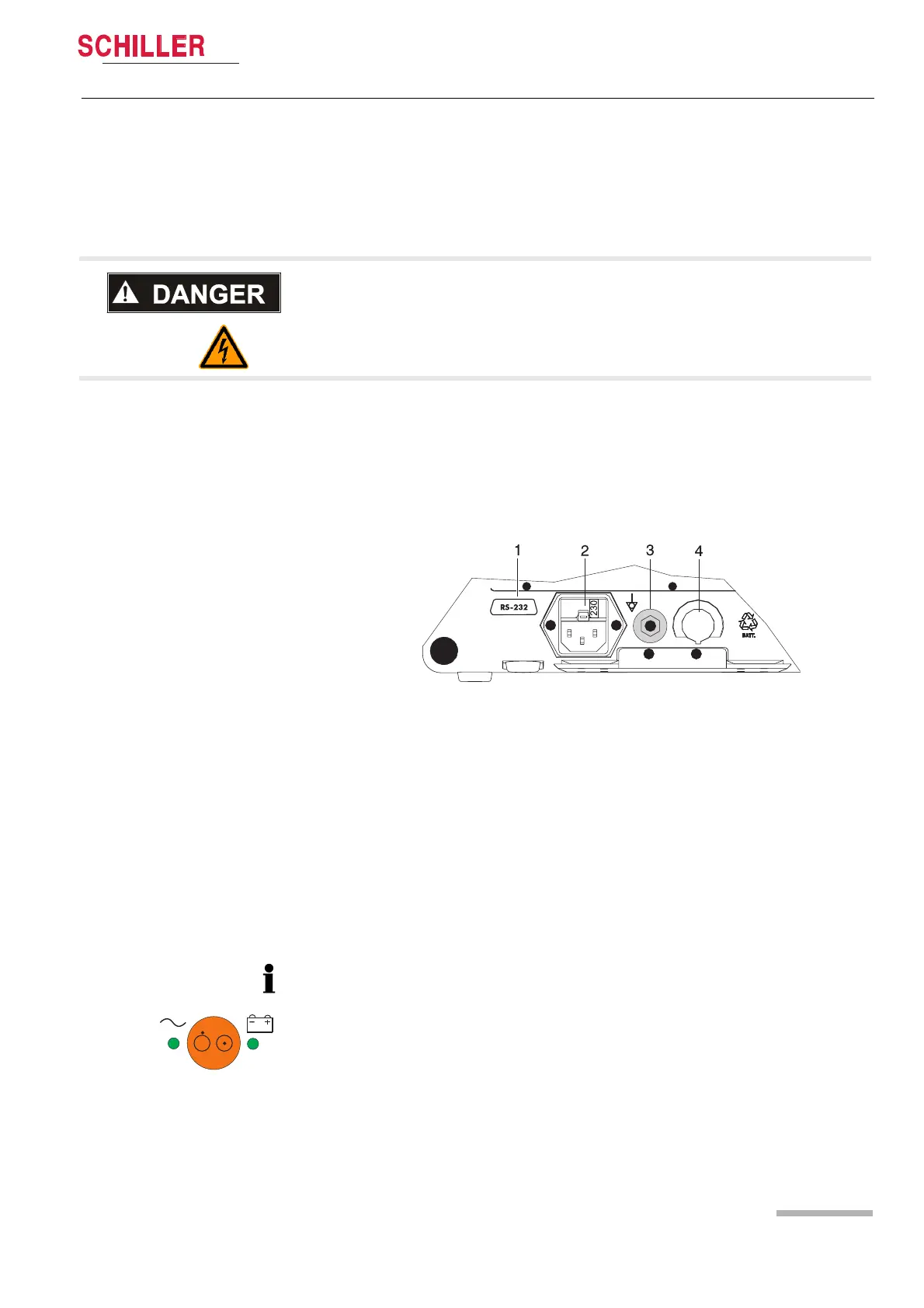
(1) RS-232
(2) Mains connection (100 -115 or 220 -240 VAC)
(3) Potential equalisation
(4) Nurse call or DC in 11 - 30 VDC (option)
Fig. 3.1 ARGUS LCM back panel
3.1.2 Battery operation
V Danger of electrical shock. Do not operate the unit if the earth connection is sus-
pect or if the mains lead is damaged or suspected of being damaged.
1. Voltage setting (2) 115 or 230 V. Refer to chapter 5.3 for the mains voltage. Con-
nect the power cable at the rear of the unit (2).
2. Connect the potential equalisation cable (3) to the central potential equalisation
socket.
3. Press the on/off button.
4. Check that all LEDs flash shortly and there is a
beep on start-up.
5. Check the settings according to sections 3.4 and 7.1.
Important
The Battery operation is indicated by the LED below the battery symbol.
When the battery charge is low, the alarm message Battery low appears or
– the LED (1) blinks
– the Battery symbol in the bottom left display field blinks
for Battery recharging refer to chapter 5.2
1













 To Next Page