5 Operating and Menu Concept
22 / 86 EN-US · 30.30.00.00424 · 07 · 10/23
5Operating and Menu Concept
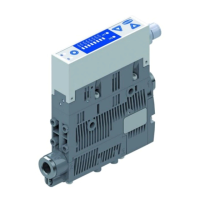
The unit is operated via three buttons on the foil keypad. The parameters are set via software menus. The
current system status and the settings are shown on a display.
Navigation is divided into three menus:
• The basic menu
• The configuration menu
• The system menu
Setting the device in the basic menu is sufficient for standard applications. The configuration menu is
available for applications with special requirements.
If settings are changed, undefined system states may occur for a short time (for approx. 50ms).
5.1Enabling the Menu
Menus can be protected against unauthorized access by defining a PIN [Pin] in the configuration menu.
When the lock is active, [Loc] flashes on the display or the PIN is requested.
The menus are accessed as follows:
1. Press the MENU button
ð The display changes to input
2. Use the UP or DOWN button to enter the first digit of the PIN
3. Confirm with the MENU button
4. Enter the remaining digits in the same way
5. To enable the device using the menu, press the MENU button
The lock is activated again automatically after you leave the selected menu or close the function.
The PIN [000] must be set for permanent deactivation of the lock.
Tips and tricks for parameter setting
• Pressing the UP or DOWN button for approx. 3 seconds scrolls
quickly through the value to be changed.
• If you exit the changed value using the MENU button, the
change will not be applied.
5.2Main Menu
All the settings for standard ejector applications can be configured and read through the main menu.
5.2.1Functions in the Main Menu
The following table shows an overview of the display codes in the main menu:
Display code Parameter Explanation
x-1
Vacuum limit value H1 Deactivation value of control function
(only if ctr = on and oN5 are active)
h-1
Hysteresis value h-1 Hysteresis value for the control function
x-2
Vacuum limit value H2 “Part Present” check switching value
h-2
Hysteresis value h-2 “Part Present” check hysteresis value
tbL
Blow off time
Only activated for E-t or l-t
CAL
Calibration Calibrate the vacuum sensor



 To Next Page