7 General Description of Functions
EN-US · 30.30.00.00424 · 07 · 10/23 31 / 86
7.3Operating Modes
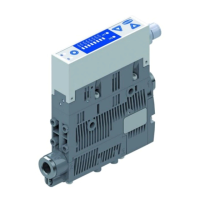
The ejector can be operated in four operating modes:
• Direct connection to inputs and outputs (standard I/O = SIO)
• Connection via the communication line (IO-Link)
• “Manual mode,” operation using the ejector buttons
• Setup mode
By default, the ejector always runs in SIO mode, but it can be switched in and out of IO-Link mode by an
IO-Link master at any time.
In addition to automatic operation, you can also use the keys on the ejector to change the operating state
and switch to manual mode.
The ejector is always parameterized in automatic mode.
7.3.1Automatic Operation
Once the product is connected to the power supply, it is ready for operation and enters automatic mode.
This is the normal operating mode, in which the product is operated by the system control unit.
A differentiation is made between SIO mode and IO-Link mode.
The operating mode may be changed from automatic operation to manual operation using the buttons.
The ejector is always parameterized in automatic mode.
7.3.2Manual Operating Mode
WARNING
Through an external signal, manual operation is exited, external signals are evalu-
ated and system parts move.
Personal injury or damage to property due to collisions
4 Ensure that the danger zone of the system is clear of people during operation.
4 Wear the required personal protective equipment (PPE) when working in the danger
zone.
WARNING
Falling objects due to incorrect operation in manual mode
Risk of injury
4 Higher level of attention
4 Ensure that there are no persons within the danger zones of the machine/system
In manual mode, a higher level of attention is advisable because incorrect operation may cause gripped
parts to fall, resulting in injuries.
In manual mode, the “suction” and “blow off” ejector functions can be controlled independently of the
higher-level controller using the buttons on the operating panel. In this operating mode, the “H1” and
“H2” LEDs both flash.
Activating the operating mode
4 Press and hold the DOWN and UP button for more than 3 seconds.



 To Next Page