Revision: 3.0 Page 11 of 71
5.3. Zone details
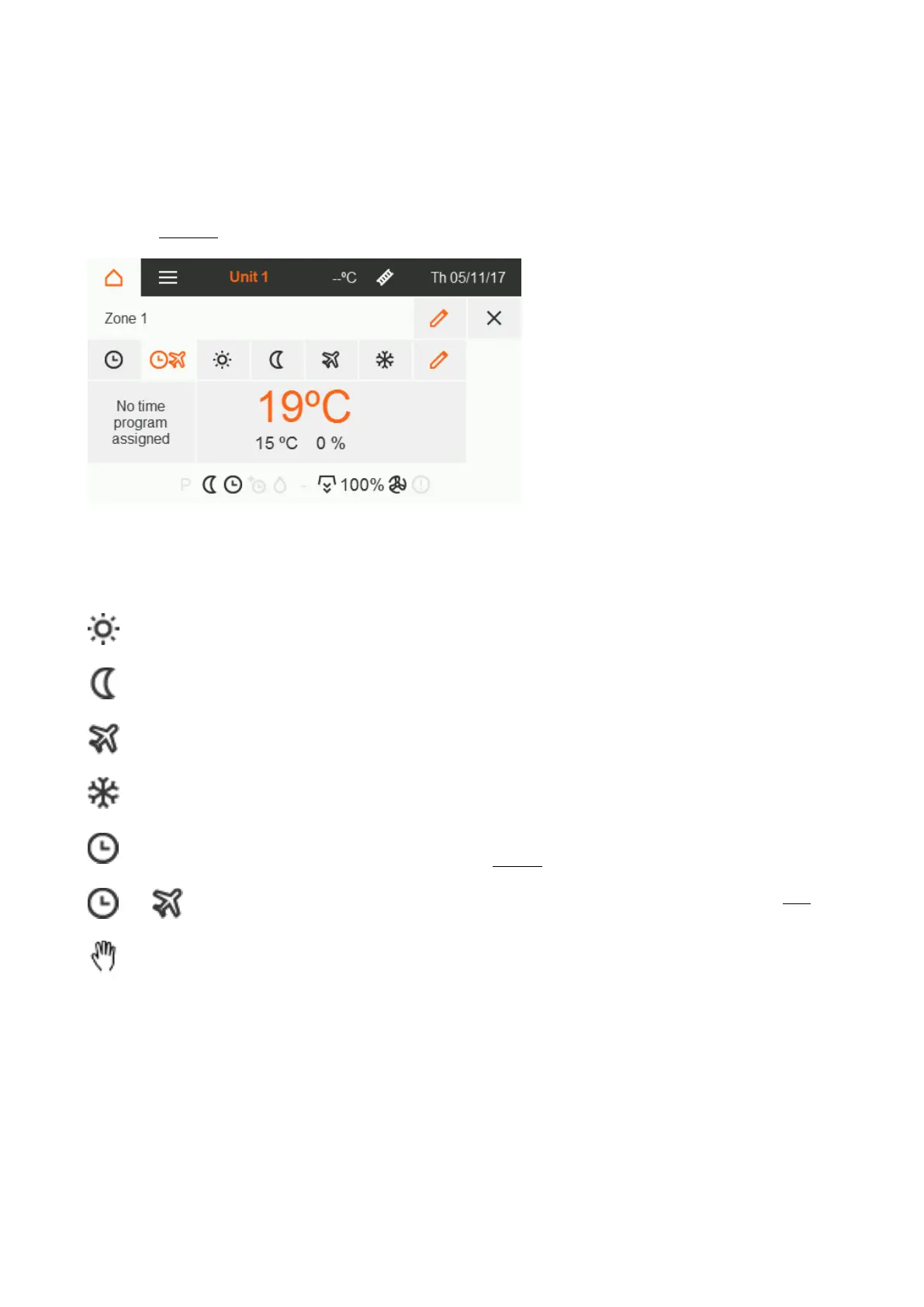
Touch the desired control unit to open the detail view. The detail view shows the actual and setpoint
temperature in °C, the measured humidity in % and all status flags of the zone. All settings made here only
affect the selected zone.
Zone identifier
Operation mode selection [section 5.3.1]
and setting of setpoint temperatures and
humidity [section 5.3.2]
5.3.1. Operation modes
Permanently adjusted to day temperature.
Permanently adjusted to night temperature.
Permanently adjusted to holiday temperature.
Permanently adjusted to antifreeze temperature.
Controlled according to the time programme
without taking holiday periods into account.
Controlled according to the time program with
taking holiday periods into account.
Available in expert mode only.
Deactivates the control for the corresponding
zone.
The output value for the heaters of the
corresponding zone can be directly specified and
adjusted.
The three-way valve in hybrid systems can also be
tested in this way.


 To Next Page