Revision: 3.0 Page 26 of 71
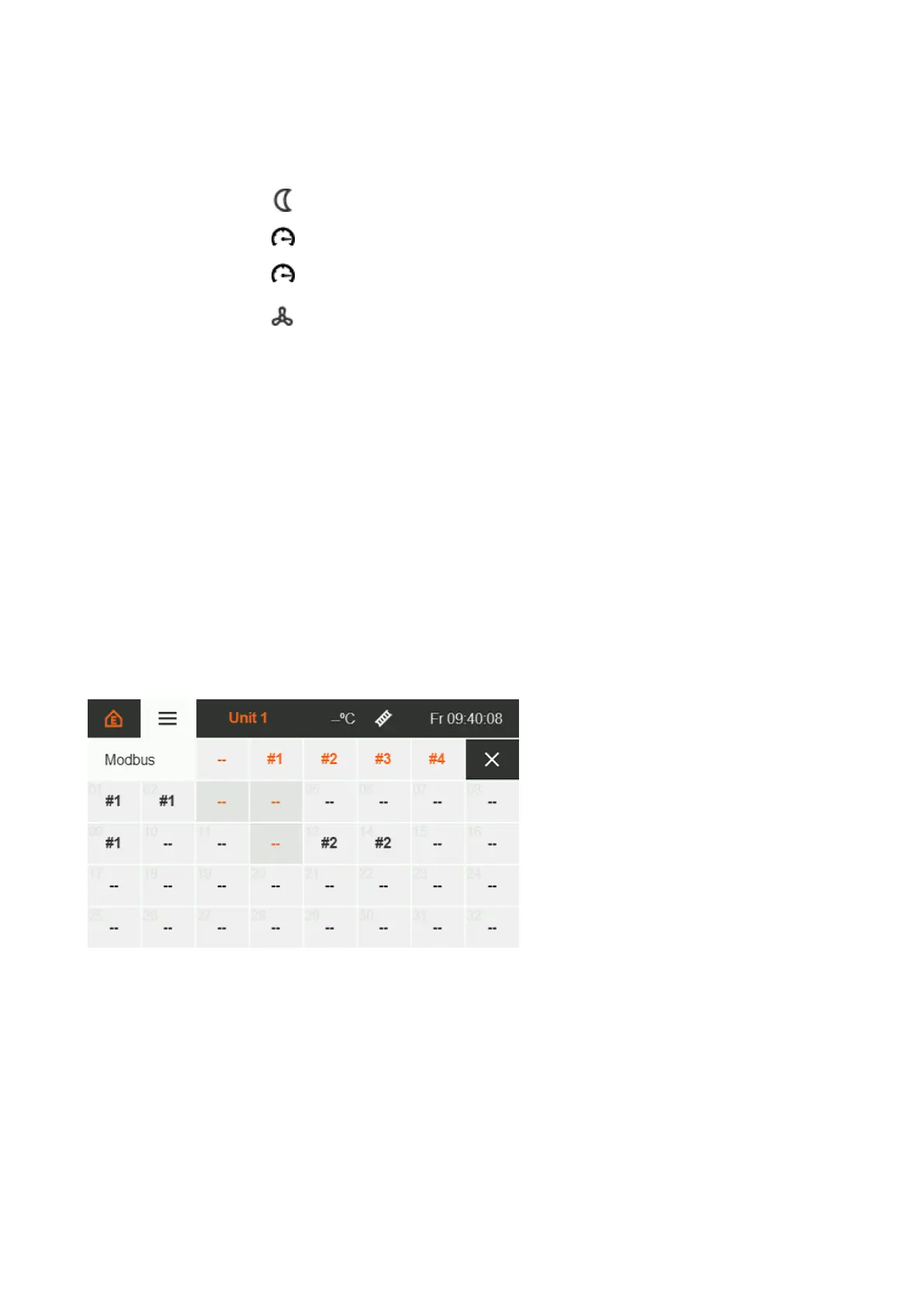
Figure 25: IC 4000 Modbus address assignment
If the input is set, the assigned zones are adjusted to the antifreeze
temperature.
Gas meter pulse input. Functionality, see section 7.5.2.
Water meter pulse input when operating as a hybrid system.
Functionality, see section 7.5.9.
Enable function for systems with [herringbone-system] fans [HSF].
Functionality, see section 5.6.3.
If two opposing functions are assigned to a zone, the activating function wins when both inputs are set.
7.4. IC4000 Modbus address assignment
The installed automatic burner control units [ABCU] are assigned to their zone via the software.
Background:
Schwank IC4000s incl. Modbus interface no longer need to be permanently wired to a specific zone. They can
be specifically addressed by the SchwankControl heating control system via a unique address within the
Modbus line topology. With Modbus wiring, new or changed requirements for the heating system can be
implemented within the software. This means there is no need for rewiring.
Procedure:
Touch the address[es] of the installed IC4000 of a zone to select it.
Selected addresses are colour-highlighted.
The zone is assigned to the selected addresses by touching a number.
The zone number is now under the corresponding address.
Zone numbers:
#1 = zone 1
#2 = zone 2
#3 = zone 3
#4 = zone 4
-= no zone
assigned
Figure 29 : IC4000 Modbus address assignment


 To Next Page