Revision: 3.0 Page 17 of 71
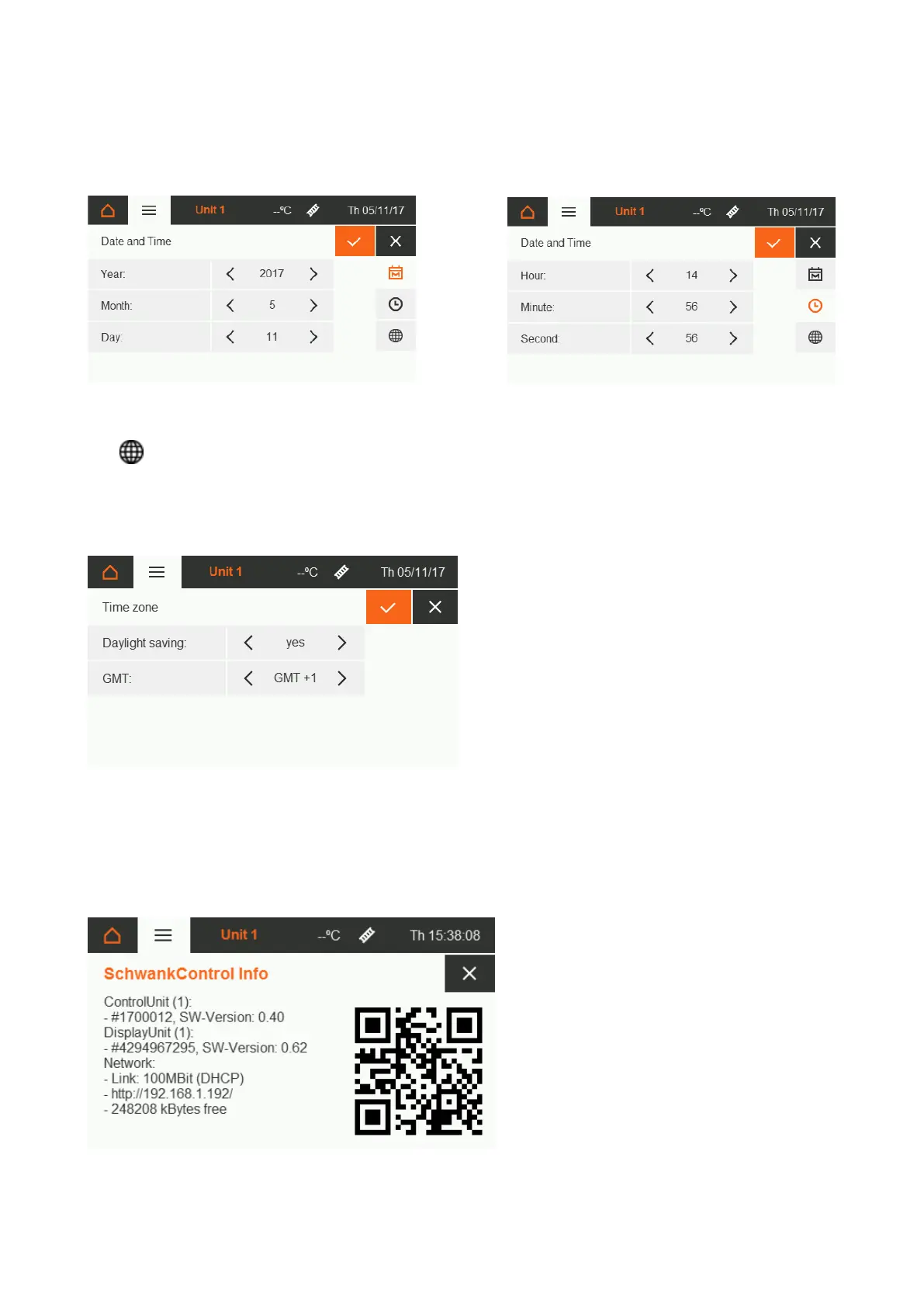
5.4.3. Date and time
Date and time are updated via LAN, if this is a possibility
5.4.4. Time zone
Automatic daylight saving yes/no
5.4.5. Info
This screen shows the serial numbers of the boards as well as the current firmware version and further LAN
information. The number in brackets behind indicates the address of the board in the CAN bus. The QR code
takes you to the instructions in the active language.
Figure171: Time zone settings
Figure 18: SchwankControl Info


 To Next Page