Revision: 3.0 Page 8 of 71
5. User interface and operation
The SchwankControl can only be operated via the touch screen. You can switch to individual menu items by
lightly touching the corresponding symbol.
5.1. Idle and Home screen
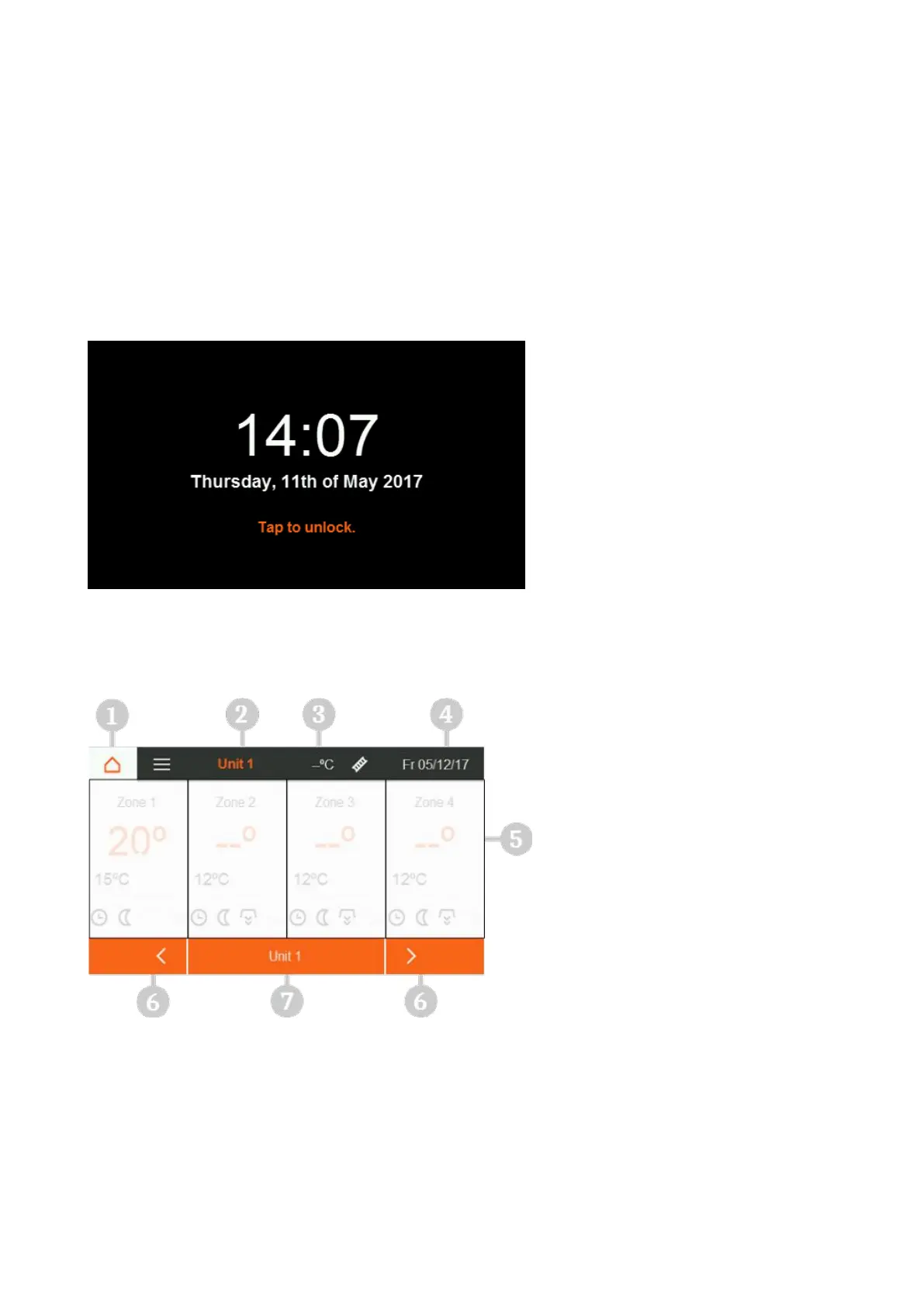
Logging out while the control is running activates the idle screen. Automatic logout takes place after a pre-
defined period [section 5.4.1] or by pressing the Home button. To unlock the idle screen, touch the touch
screen.
Figure 3: Idle screen
1. Home button
2. Selected control unit
3. Outside temperature
4. Date and time
5. Control unit overview
6. Switch pages
7. Direct selection of control unit


 To Next Page