Revision: 3.0 Page 23 of 71
7. Configuration
The system must be configured before commissioning. These settings are protected by a 5-digit PIN.
Figure 25: Expert settings
If you log in as an expert, the Home button turns orange with an "E" [expert] inside. To log out, touch and hold
the Home button.
7.1. Heater type configuration
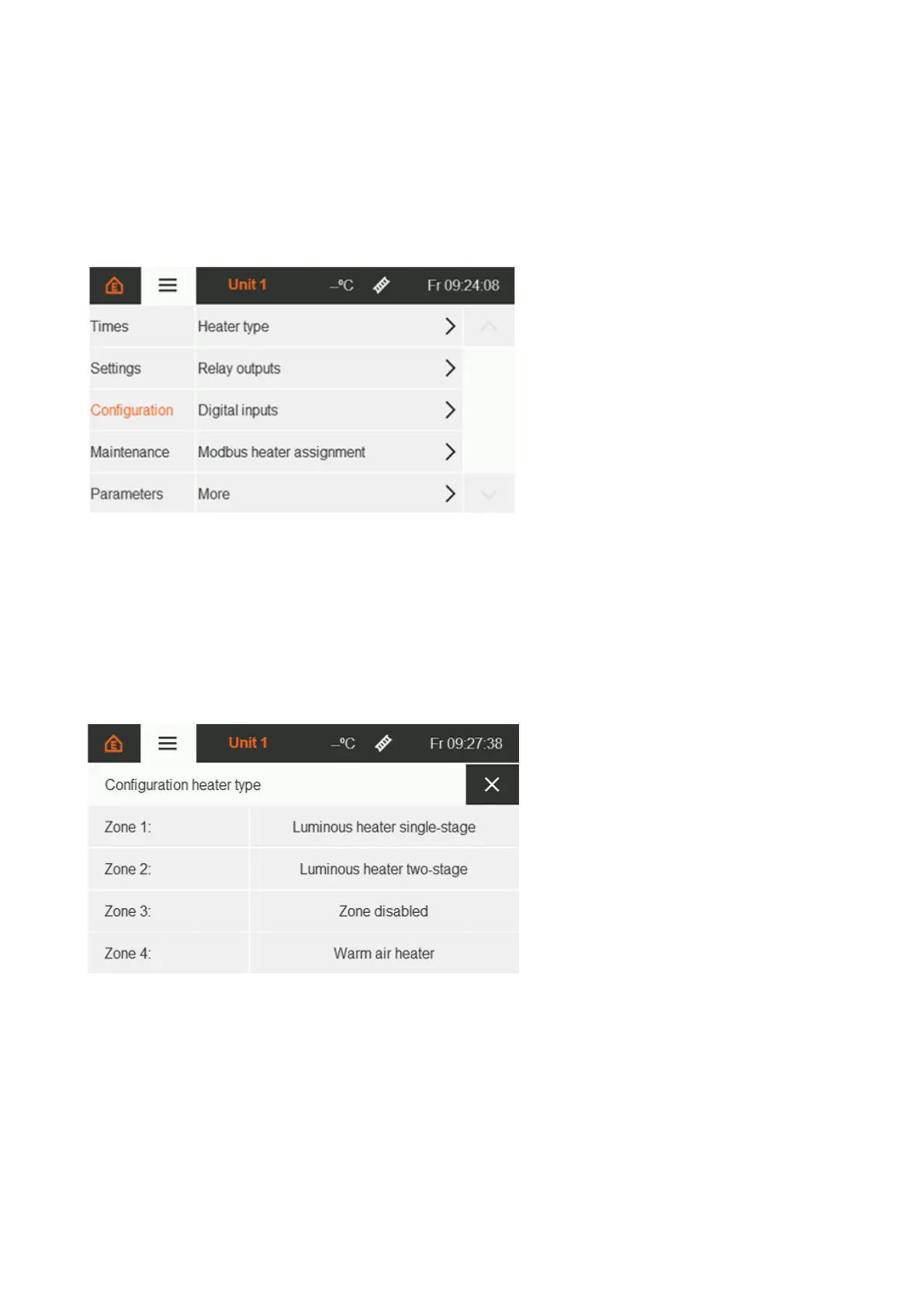
To ensure correct operation, first select for each zone the type of heater installed. If no heater type has been
assigned, the zone remains deactivated.
Touching the respective zone opens a list of options for configuring the heater types. The currently selected
type is colour-highlighted.
Figure 26: Overview of heater type configuration


 To Next Page