Revision: 3.0 Page 33 of 71
9.2. System counters
All counters can be reset individually or all at once. The following is displayed:
Count down until the next service
Total operating time of the control unit
Energy consumption of the system [factor required see section 7.5.2]
Start-up and operating time of the 1st zone
Start-up and operating time of the 2nd zone
Start-up and operating time of the 3rd zone
Start-up and operating time of the 4th zone
9.3. Events
The event log can be accessed from various places.
Diagnostics [current section]
Zone details [section 7], symbol visible only to
expert
Only events concerning the selected zone
Only events concerning the selected zone
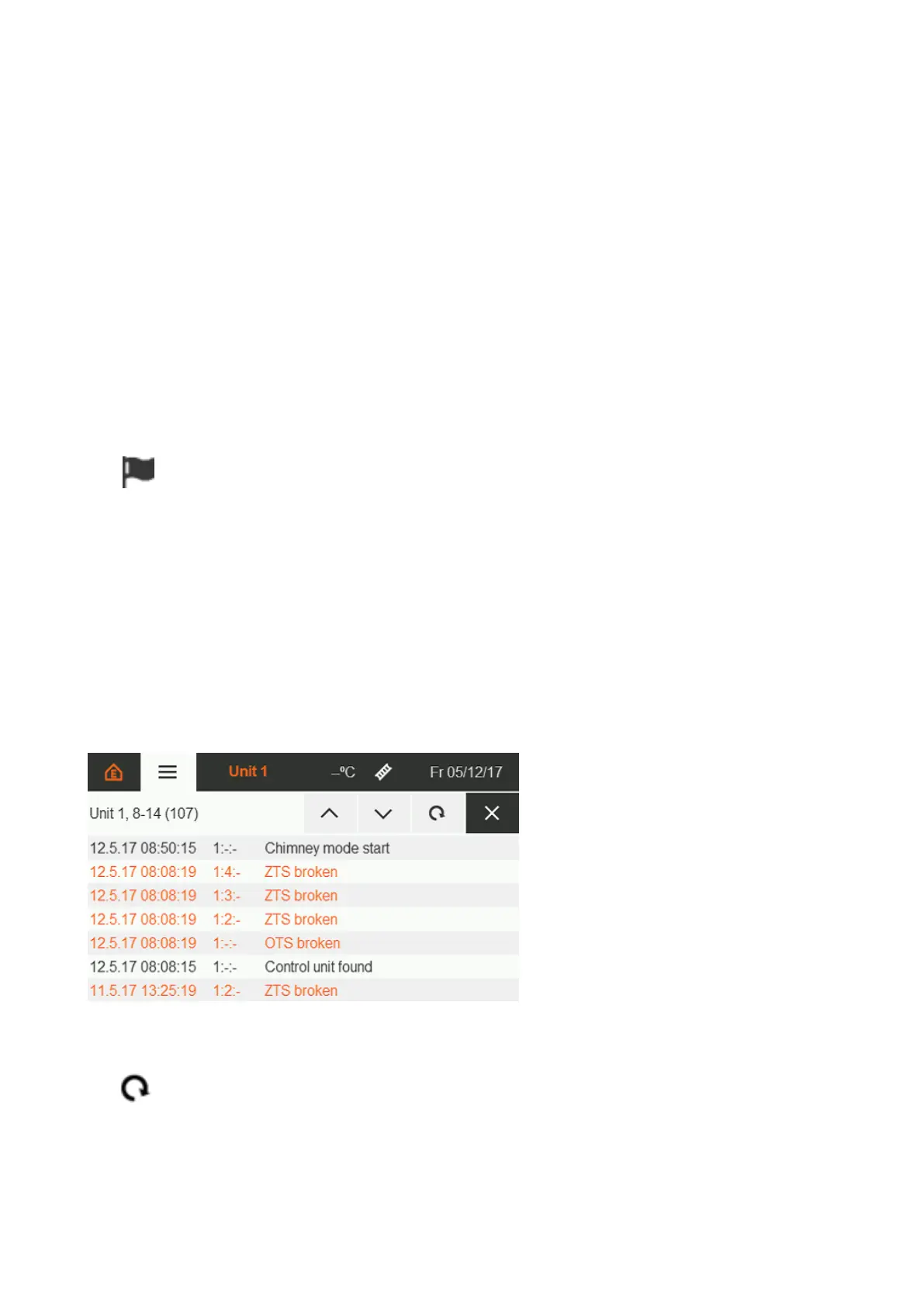
Events are recorded with a time stamp. Errors are highlighted in orange.
Event source: x : x : x = Control unit: Zone: IC4000 Modbus address
Event log of unit 2
Entries 8-14 of 14 entries
Refresh view. There is no automatic update for new events.
Figure 33 : Event log extract


 To Next Page