Revision: 3.0 Page 25 of 71
Important: Two-stage or modulating heaters require 2 output relays.
Example:
First, a "Luminous heater two-stage" is configured for zone 2 [section 7.1]. Subsequently, any relay is used for the
"Heater ON/OFF" function and a further relay is used for the "Heater stage" function. Both relays are assigned to
zone 2. Both relays are now configured for switching the two-stage luminous heater of zone 2. Further details
on the switching functionality can be found in section 7.3.
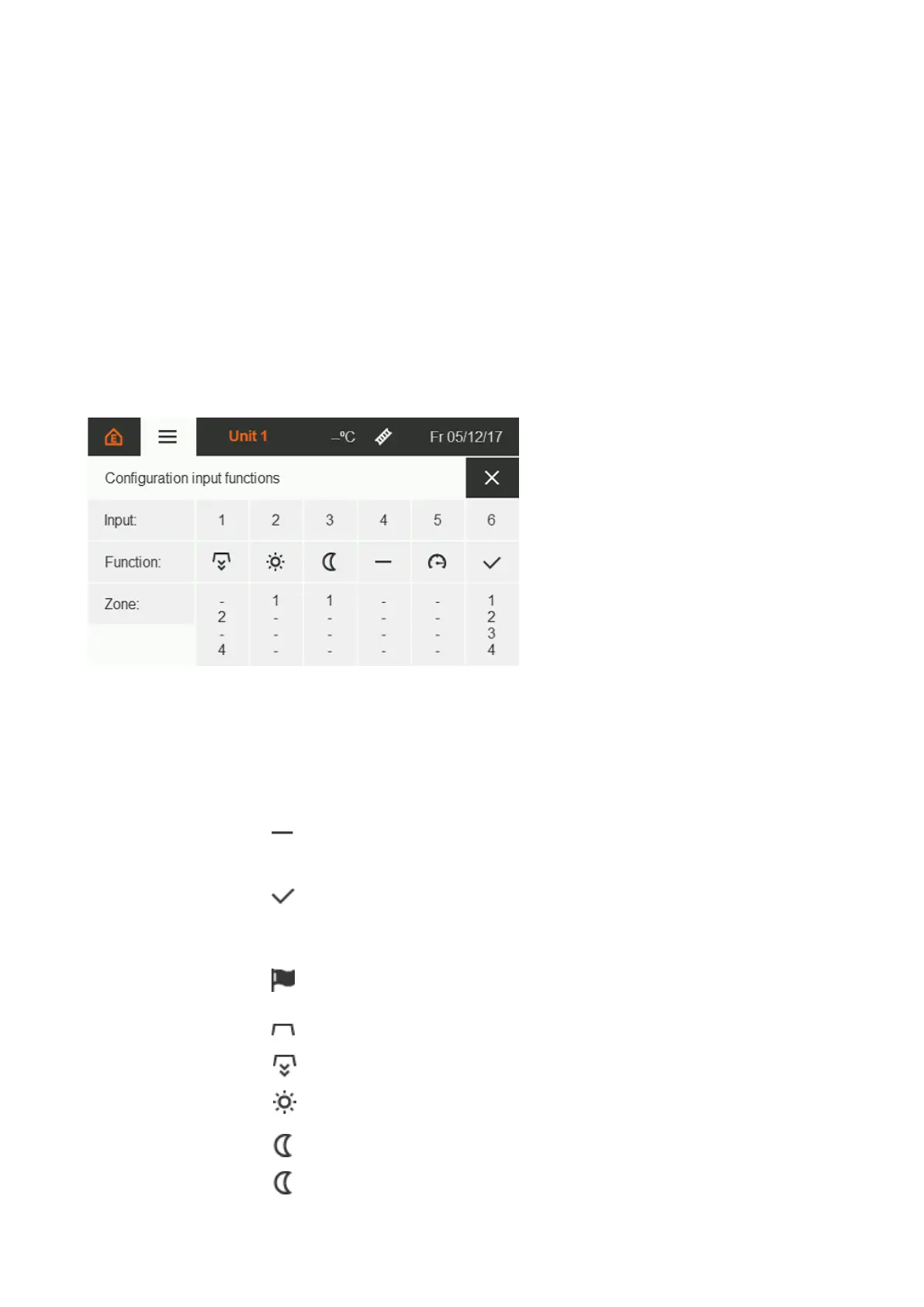
7.3. Input function configuration
The next step is to assign the digital input functions. Here, too, inputs that have already been set are colour-
highlighted. The function / function application can be changed by touching.
List of available functions:
The input is deactivated.
The automatic assignment of all zones cannot be changed. The input
must be set to release the power outputs of the control unit. Without
this release, the assigned heaters cannot be switched on, even if the
control system requests it in order to reach or maintain the setpoint
temperatures.
The automatic assignment of all zones cannot be changed. Errors are
passed on to the release relay of the control unit and thus appear in
the event log; the red LED lamp on the outside of the SchwankControl
lights up.
The heaters are switched off regardless of the control request.
The heaters are switched on regardless of the control request.
If the input is set, the assigned zones are adjusted to the day
temperature.
If the input is set, the assigned zones are adjusted to the night
temperature.
If the input is set, the assigned zones are adjusted to the holiday
Figure 28: Input function assignment


 To Next Page