3-34 Communications Date Code 20011026
SEL-321/321-1 Instruction Manual
FRONT-PANEL OPERATION
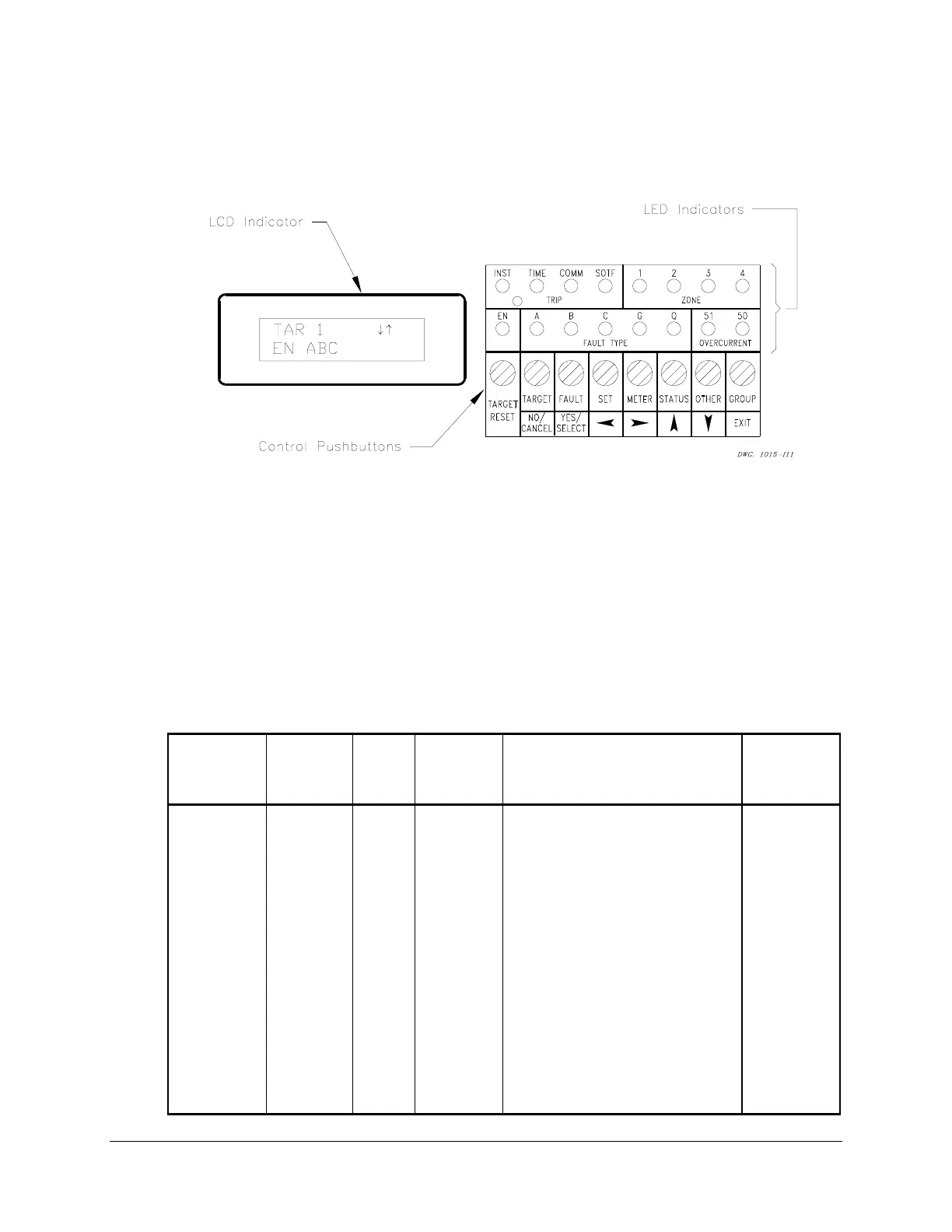
The SEL-321 Relay front panel, shown in Figure 3.2, includes a 2-line, 16-character LCD
display, 16 LED target/indicators and eight pushbuttons for enhanced communications.
Figure 3.2: SEL-321 Relay Front-Panel Display
LCD FUNCTIONS AND FRONT-PANEL COMMANDS
The LCD display shows fault detection information, metering information, target reset and status
display, and self-test status. The display is controlled with eight multifunction pushbuttons that
have two corresponding sets of legends. The top row of legends describes button functions for
command selection and the bottom row describes specific commands within dialogues. Push-
button commands and the corresponding LCD displays are discussed below. Table 3.14 lists
commands available from the front-panel control pushbuttons.
Table 3.14: Commands Available From Front Panel
Command
Buttons
See
Table
Format
Application
Minimum
Access
Level
SET SET 3.18 SET
SET 1
Set active group
Set Group 1
2
SET G SET 3.19 SET G
Set input assignments
Set front-panel timeout
Set group change delay
2
SET P SET 3.20 SET P 1 Set Port 1 2
TARGET TARGET 3.15 TAR 1 View target row 1 1
TARGET
RESET
TARGET
RESET
None TARGET
RESET
LED lamp test target reset and
trip unlatch
1
BRE
2AC
OTHER None OTHER BREAKER Level Access
Access Level 2 access
1



 To Next Page