I-12 Interface Board Specifications Date Code 20011026
SEL-321/321-1 Instruction Manual
INTERFACE BOARD 6 (12 OUTPUTS, 8 INPUTS) - PLUG-IN CONNECTIONS
Optoisolated Inputs
All eight control inputs are fixed level-sensitive, dry optoisolated inputs, and are not polarity
dependent. The nominal rated control voltage of 48, 125, or 250 Vdc must be specified when
ordering. To assert an input, apply control voltage to the terminals assigned to that input. Each
input is individually isolated, and a terminal pair is brought out for each input. There are no
internal connections between inputs. The inputs will assert within 2 ms and draw approximately
4 mA of current at nominal voltage. For further information, see General Specifications in
Section 2.
Output Contacts
30 A make
6 A carry
10 A interrupt for L/R <0.04 seconds at 125 Vdc
10 A interrupt for L/R <0.02 seconds at 250 Vdc
Closing (pickup for “a” contacts, dropout for “b” contacts): 1/4-cycle or less
Opening (dropout for “a” contacts, pickup for “b” contacts): 1/2-cycle or less (typical is
1/4-cycle)
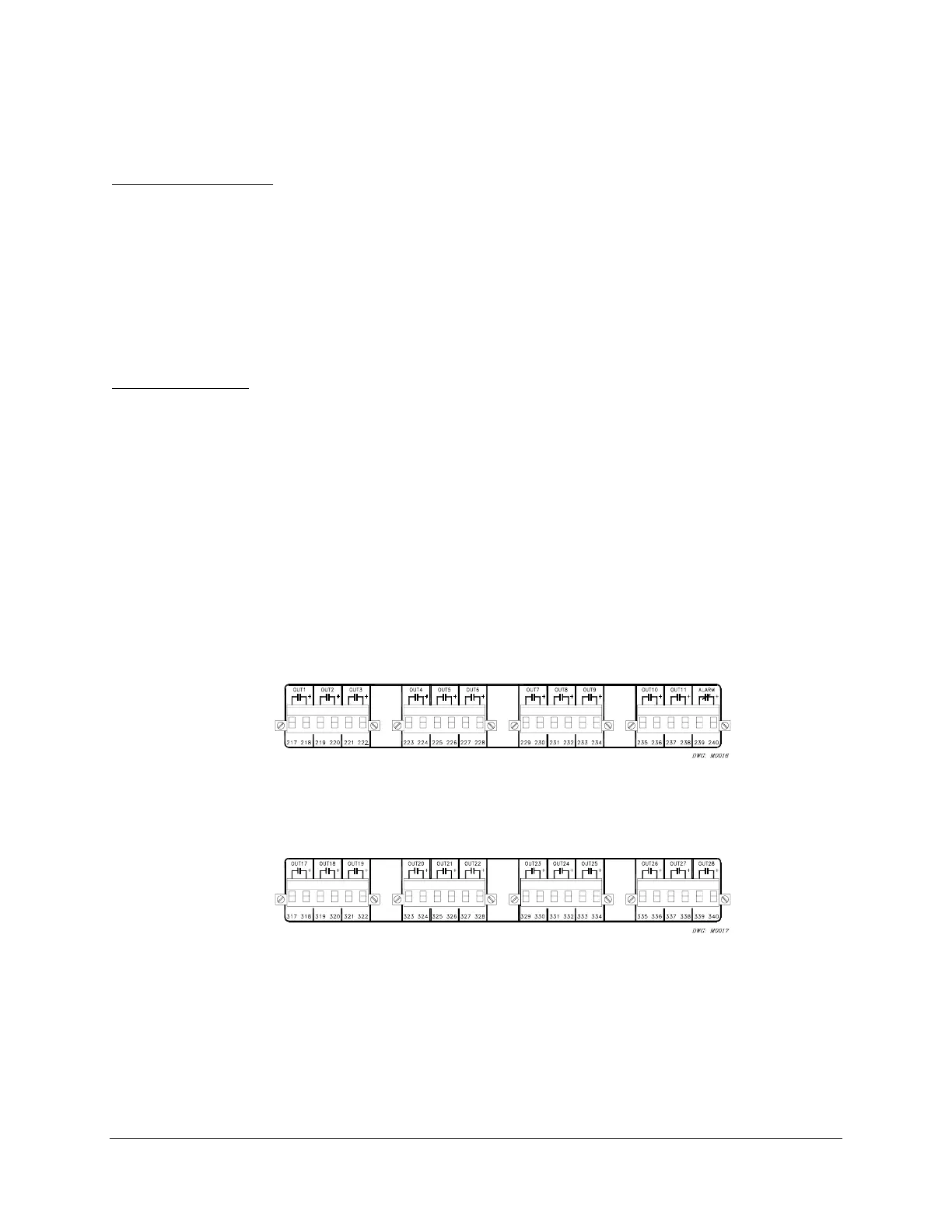
Interface board 6 provides 12 output contacts. These 12 High Current Interrupting dry output
contacts can interrupt 10 A of inductive current with an L/R <0.04 seconds at 125 Vdc. At 250
Vdc, they will interrupt 10 A of inductive current for an L/R <0.02 seconds. These outputs are
polarity dependent. Notice the “+” polarity mark above terminals 218 and 318 in the following
figures that are similar to the rear of the relay:
Figure I.16: Interface Board 6 Output Contacts (Board Position 1) (Plug-In Connections)
Figure I.17: Interface Board 6 Output Contacts (Board Position 2) (Plug-In Connections)
Configure the output contacts as “a” contacts or “b” contacts with solder jumpers. Figure I.18
shows the locations of the jumpers and explains the jumper positions. Contacts are factory-
configured as “a” contacts (except the alarm contact which is “b”).



 To Next Page