Portable X-ray Units
Service Manual
SM-1076R2
20
3.2 CALIBRATION OF PARAMETERS
Before calibrating kVp Gain, a calibration of the Filament
Current for t he lowest mA station in Large Focus at 40 and 80
must be performed. Refer to Section 3.2.1.
3.2.1 PRELIMINARY CALIBRATION OF FILAMENT CURRENT
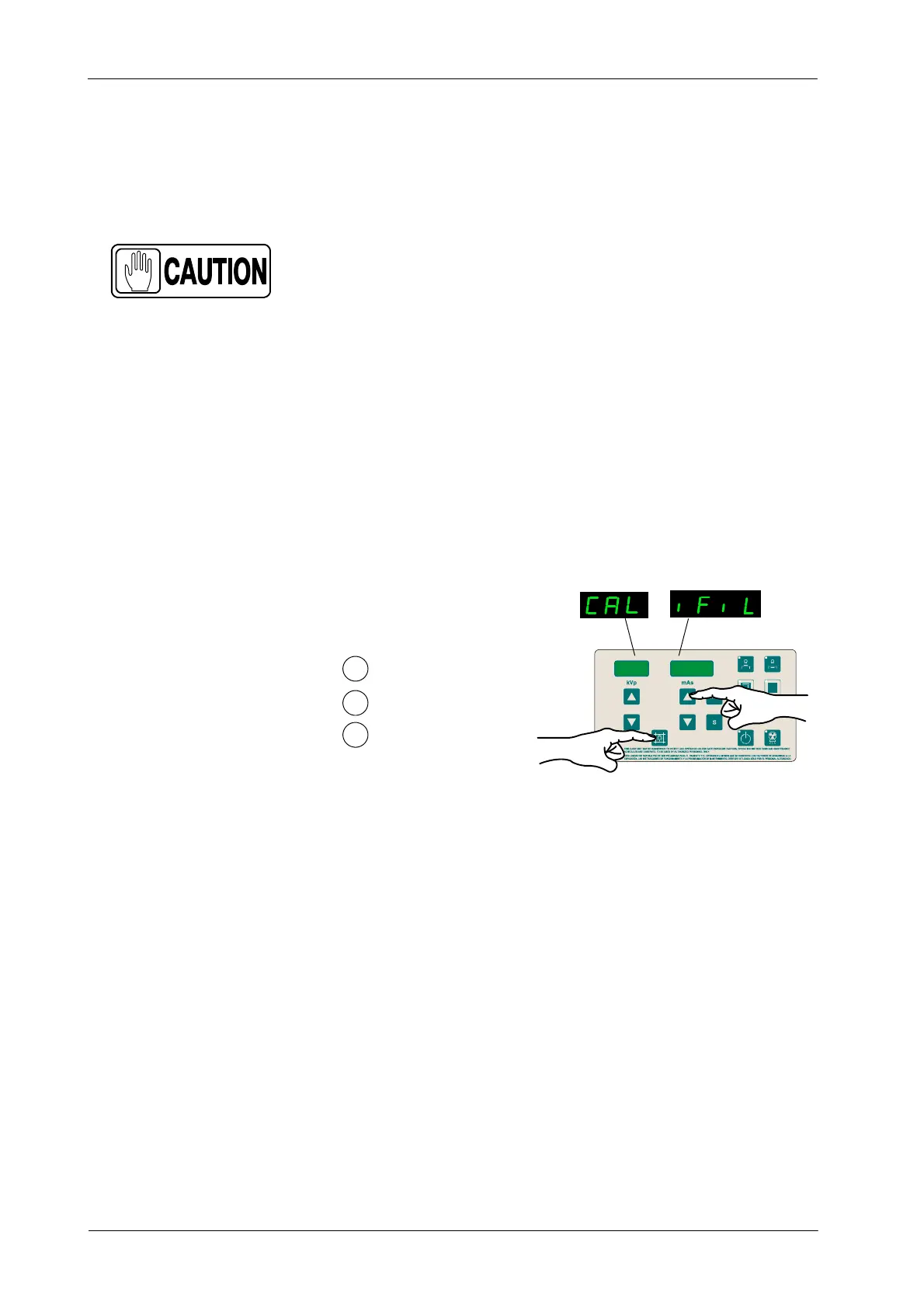
1. To enter Calibration of Filament current press and hold “Collimator
Light” push-button and then press and release “mAs Increase”
push-button (two beeps sound). (CAL iFiL) appears on the displays while
“Collimator Light” is pressed. Then release “Collimator Light”
push-button (the kVp Display shows 40, 80, 110 or 100 and one of the
Focal Spot Leds blinks).
kVp
mAs
1
2
Press and hold Collimator Light
Press and release mAs Increase
Release Collimator Light
3
2. Select: 40 kVp, “Large Focal Spot” ( led blinks), and the lowest mA station
in Large Focal Spot (by pressing the mAs push-buttons). During
Calibration the mAs Display shows the mA value.
3. Make an exposure and measure kVp and mA signal values with the
Oscilloscope.
a. Verify that both signals are flat and noiseless.
b. If the mA value obtained is not the selected, increase or decrease
the filament current value (shown on the kVp Display) by pressing
“mA” or “s” push-buttons.
4. Make an exposure again to verify that the mA value in the Oscilloscope
is the one selected; if it is not, repeat the procedure to increase or
decrease the value.



 To Next Page