Portable X-ray Units
Service Manual
SM-1076R2
89
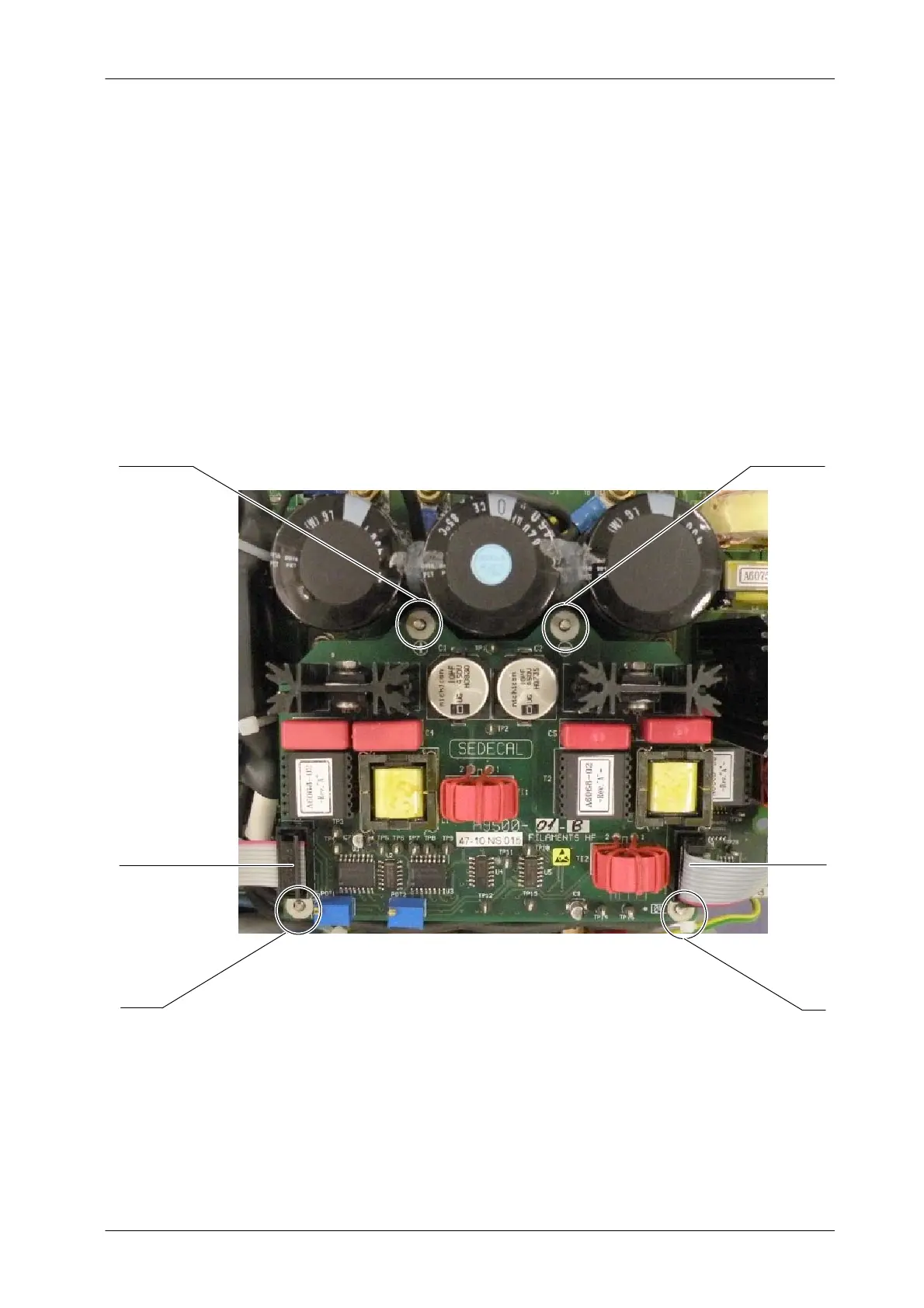
5.3.13 FILAMENTS HF BOARD
1. Access inside the Unit by removing Upper and Lower Covers and
unscrewing the Connectors Panel (refer to Section 5.3.1).
2. Remove the two Ribbon cables connected to J1 and J2 of the Filaments
HF Board (A9500--01).
3. Carefully unscrew the four (4) nuts and washers that assemble the
Filaments HF Board (A9500--01) to the Control Driver Board
(A3189--04). These screws are the contacts for 0 V, +15 V, DC--BUS (+)
and DC--BUS (--). Carefully remove the board.
DC--BUS (+)
+15V
0V
D C -- B U S ( -- )
J1
J2
4. Replace the Filaments HF Board (A9500--01), reconnect and assemble
in reverse order.


 To Next Page