Portable X-ray Units
Service Manual
SM-1076R2
22
3.2.2 CALIBRATION OF kVp GAIN
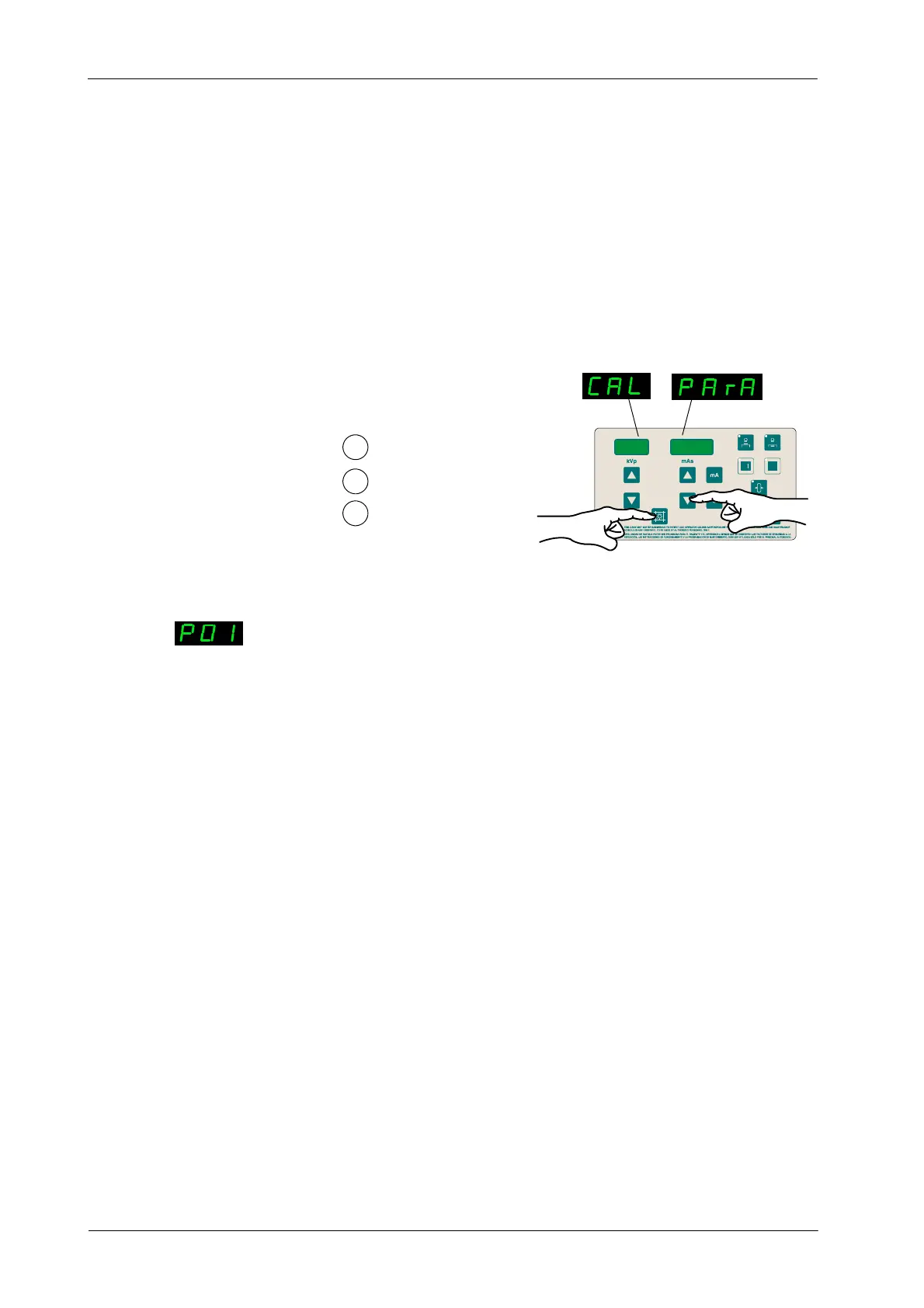
1. To enter Calibration Menu, press and hold “Collimator Light”
push-button and then press and release “mAs Decrease” push-button
(two beeps sound). (CAL PArA) appears on the displays while
“Collimator Light” is pressed. Then release “Collimator Light”
push-button. The kVp Display shows P01 and one of the Focal Spot Leds
blinks.
1
2
Press and hold Collimator Light
Press and release mAs Decrease
Release Collimator Light
3
mAs
kVp
2. Press “Collimator Light” to enter calibration of kVp Gain (P01).
3. Place a Non-Invasive kVp meter aligned to the X-ray beam at SID
100 cm. Open the light field to center it with the kVp meter.
4. Make an exposure (parameters are automatically selected: 80 kVp, 5mA
(or minimum mA) and 100 ms), read kVp and take note of the value. Enter
kVp read value in the mAs Display pressing “mAs Increase” or “mAs
Decrease” push-buttons.
5. Save the value by pressing “Reset” push-button. The mAs Display shows
kVp Gain value during two seconds (this value represents the Gain
correction automatically applied, 200 is the reference value).
6. Press “Collimator Light” to exit menu P01.
7. To exit Calibration Mode, press and hold “Collimator Light” push-button
and then press and release “mAs Decrease” (two beeps sound). Then
release “Collimator Light” (kVp and mAs parameters are shown).
kVpkVp



 To Next Page